
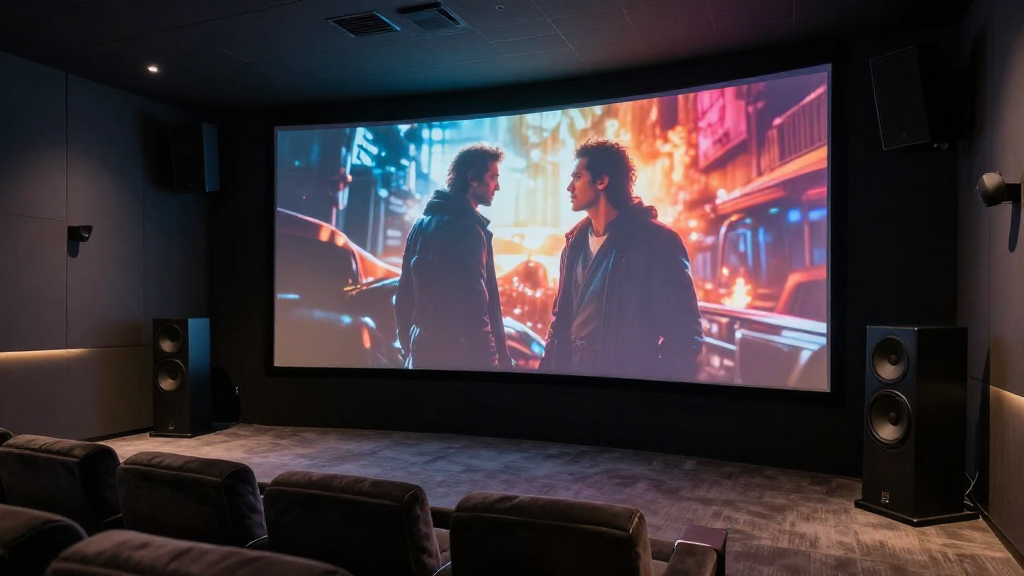
In this article, we will delve into the concept of home theater surround channels explained, helping you understand their significance in enhancing your overall audio experience.
What Are Surround Channels?
Surround channels are an integral part of any home theater system, designed to create an immersive audio experience. These channels provide additional audio information that complements the main speakers, allowing sound to come from various directions.
Definition of Surround Channels
In simple terms, surround channels refer to the audio channels designated to deliver sound from the sides and rear of the listening area. This setup is crucial for achieving a three-dimensional audio landscape.
Purpose of Surround Channels
The primary purpose of surround channels is to enhance the realism of movies and music by replicating sounds as they would occur in real life. For example, you might hear the rustling of leaves or the sound of a car passing by from behind you, making the experience more engaging.
Types of Surround Channels
- 5.1 Surround Sound: This system includes five channels and one subwoofer, providing a balanced audio experience.
- 7.1 Surround Sound: Adding two additional channels for a richer sound experience, ideal for larger rooms.
- Dolby Atmos: A more advanced system that adds height channels, allowing sound to move freely in a three-dimensional space.
How Do Surround Channels Work?
Understanding how surround channels work can significantly enhance your home theater setup. These channels are designed to deliver specific sounds at precise locations in your room.
Signal Processing
Audio signals are processed by the receiver to determine how they should be output through various channels. This processing ensures that sounds are directed to the correct speakers, creating an immersive experience.
Speaker Placement
For optimal performance, the placement of surround speakers is crucial. Ideally, surround speakers should be positioned at ear level and slightly behind the main listening area.
Audio Formats Supporting Surround Channels
- DTS: This format supports various surround sound configurations, including 5.1 and 7.1 setups.
- Dolby Digital: A widely used format that provides excellent audio quality for movies and music.
- PCM: Pulse-code modulation can also carry multi-channel audio signals for home theater setups.
Why Are Surround Channels Important?
Surround channels play a vital role in the overall performance of your home theater system. They create a more immersive and realistic audio environment, which enhances your viewing or listening experience.
Enhanced Audio Experience
By adding surround channels, you can hear sounds coming from all directions, mimicking real-life scenarios. This level of audio immersion can transform a standard movie night into an experience akin to being in a theater.
Increased Realism
Surround channels allow you to perceive audio cues that enhance storytelling. For instance, the sound of footsteps or a bird chirping can add layers of realism to a scene.
Compatibility with Modern Formats
- Streaming Services: Many streaming platforms now support surround sound formats, making it easier to enjoy high-quality audio at home.
- Blu-ray Discs: Most Blu-ray discs are encoded with surround sound options, providing a cinematic experience.
- Gaming: Video games also utilize surround channels to create an immersive sound environment, enhancing gameplay.
How to Set Up Surround Channels?
Setting up surround channels can seem daunting, but with the right guidance, it can be a straightforward process. Here are some steps to consider when setting up your home theater.
Choosing the Right Equipment
To achieve the best audio experience, start by investing in quality speakers and a capable receiver. Your equipment should support the surround sound format you wish to use.
Speaker Configuration
Depending on your chosen system (5.1, 7.1, etc.), configure your speakers accordingly. Ensure that the front, center, and surround speakers are correctly placed for optimal sound distribution.
Calibration
- Auto Calibration: Many modern receivers feature an auto-calibration tool that adjusts the sound settings based on your room’s acoustics.
- Manual Calibration: For more control, you can manually adjust speaker levels and distances using a sound meter and test tones.
- Room Acoustics: Consider the acoustics of your room, such as wall materials and furniture, as they can affect sound quality.
Common Issues with Surround Channels
While setting up surround channels can enhance your experience, there may be common issues that arise. Knowing how to troubleshoot these problems can save you time and frustration.
No Sound from Surround Speakers
If you notice no sound coming from your surround speakers, check your connections and ensure they are properly wired. Also, confirm that the surround channels are enabled in your receiver settings.
Sound Imbalance
Sometimes, the sound may seem imbalanced, with one side being louder than the other. Adjust the levels in your receiver settings to ensure a uniform sound experience.
Latency Issues
- Delay Settings: Check for any delay settings in your receiver that may be causing latency between channels.
- Firmware Updates: Ensure your receiver’s firmware is up to date, as updates can resolve many audio issues.
- Audio Format Compatibility: Verify that the audio format of your content is compatible with your surround setup.
Conclusion
In summary, understanding home theater surround channels is essential for creating an engaging audio experience. By knowing their purpose, setup, and troubleshooting common issues, you can fully enjoy your home theater system. Investing time and effort into your surround sound setup will pay off with a rich, immersive audio landscape that enhances your favorite movies and music.