
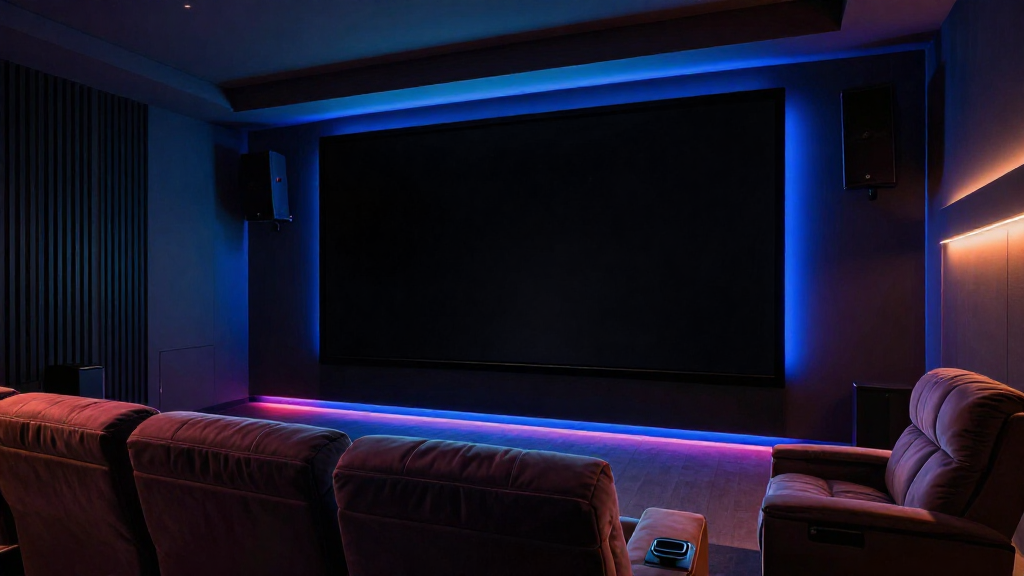
This article will delve into the concept of home theater black levels explained, helping you understand their significance in creating an immersive viewing experience.
What Are Black Levels?
Black levels refer to the depth of black that a display can produce. In a home theater setting, these levels are crucial for achieving a high-quality image. When the black levels are deep and rich, it enhances the overall contrast of the image, making colors pop and details more discernible.
Why Are Black Levels Important?
Understanding the importance of black levels is essential for any home theater enthusiast. Here are a few reasons why they matter:
- Contrast Enhancement: Good black levels improve the contrast ratio, leading to a more vibrant picture.
- Detail Visibility: With better black levels, details in dark scenes become clearer and more defined.
- Immersive Experience: Deep blacks contribute to a more cinematic experience, pulling the viewer into the film.
How are Black Levels Measured?
Black levels are typically measured in terms of luminance. The lower the luminance value, the deeper the black. Most modern displays will have a black level measurement that indicates their capability:
- Absolute Black: This indicates a perfect black level, where no light is emitted.
- Relative Black: This is more common and indicates the darkest level a display can produce in relation to its peak brightness.
- ANSI Contrast Ratio: This ratio compares the brightness of white to black, providing insight into performance.
How Do Different Displays Handle Black Levels?
Different types of display technologies handle black levels in unique ways. Understanding these differences can help you make an informed decision about your home theater setup.
LCD Displays
LCD displays often struggle with achieving deep black levels. Here’s why:
- Backlighting: Most LCDs use a backlight which can cause light bleed, leading to less impressive black levels.
- Dynamic Contrast: Many LCDs employ dynamic contrast controls that can improve black levels but may introduce artifacts.
- Local Dimming: Some high-end LCDs feature local dimming to enhance black levels, but performance can vary.
OLED Displays
On the other hand, OLED displays excel in producing exceptional black levels. Here’s how:
- Self-Emissive Technology: Each pixel in an OLED display emits its own light, allowing for true black when pixels are turned off.
- Superior Contrast: This technology leads to an infinite contrast ratio, significantly enhancing image quality.
- Color Accuracy: OLEDs also maintain color accuracy at different brightness levels, improving overall viewing experiences.
What Factors Affect Black Levels in Home Theater?
Several factors can influence black levels in your home theater setup, affecting the overall image quality.
Ambient Light
Ambient light can have a significant impact on perceived black levels. Consider the following points:
- Room Lighting: Bright lights can wash out the image, making blacks appear gray.
- Window Treatments: Use blackout curtains or shades to minimize the impact of external light sources.
- Display Position: The angle and position of your display can affect how light interacts with the screen.
Calibration
Proper calibration of your display can vastly improve black levels. Here’s how:
- Professional Calibration: Hiring a professional can help you achieve optimal settings.
- User Settings: Adjusting contrast, brightness, and gamma settings can enhance performance.
- Calibration Tools: Use calibration tools and software to fine-tune your settings accurately.
How Can You Improve Black Levels in Your Home Theater?
Improving black levels in your home theater can enhance your overall viewing experience significantly. Here are some practical steps to consider.
Choose the Right Display
Selecting a display with excellent black level performance is crucial. Consider these options:
- OLED Technology: Known for outstanding black levels, OLEDs are a top choice for home theaters.
- High-End LCDs: Look for models with advanced local dimming features for better black performance.
- Projectors: Some projectors offer great black levels, especially in dark rooms.
Optimize Viewing Conditions
Creating the ideal viewing environment can significantly affect black levels:
- Darkening the Room: Minimize ambient light to enhance perceived black levels.
- Display Placement: Position your display at an optimal height and angle to reduce glare.
- Adjust Furniture: Arrange seating to avoid reflections that could wash out the image.
Regular Maintenance
Regular maintenance of your home theater equipment ensures optimal performance:
- Clean Your Screen: Dust and fingerprints can affect image quality, including black levels.
- Update Firmware: Keep your display’s firmware up-to-date for the best performance.
- Check Connections: Ensure all cables are secure and of good quality to prevent signal loss.
Conclusion: The Importance of Understanding Black Levels
In conclusion, understanding home theater black levels explained is essential for anyone looking to enhance their viewing experience. By considering factors such as display technology, ambient light, and calibration, you can significantly improve the quality of your home theater. Investing in the right equipment and optimizing your environment will allow you to enjoy movies and shows with the best possible picture quality.