
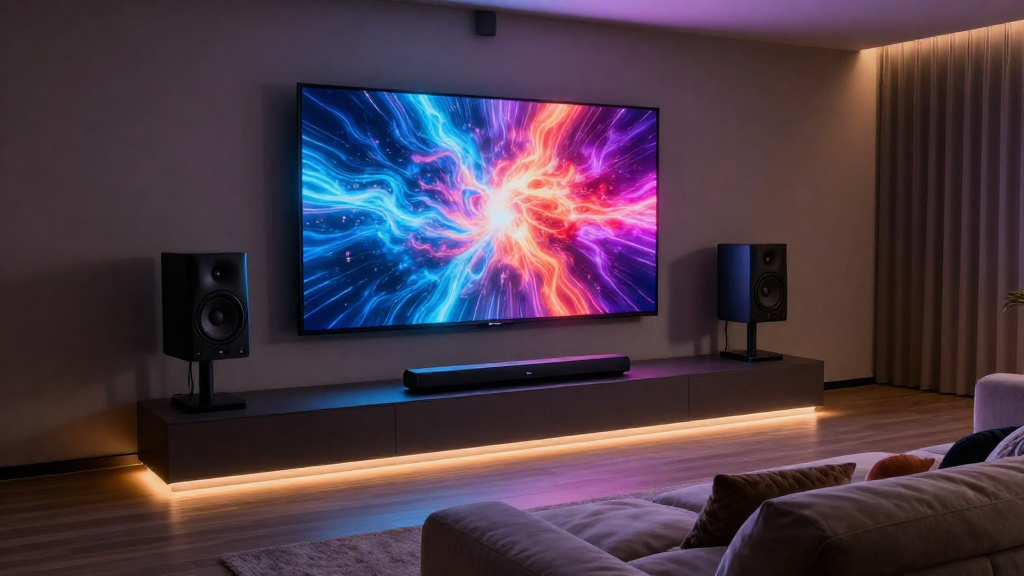
In this article, we will explore the concept of home theater audio passthrough and its significance in enhancing your home entertainment experience.
What is Audio Passthrough?
Audio passthrough refers to a feature in home theater systems that allows audio signals to pass through an AV receiver or soundbar without being processed. This functionality can significantly impact the overall audio experience.
How Does Audio Passthrough Work?
When audio passthrough is enabled, the device will send the audio signals directly to the output without altering them. This means that any audio sent from a source device, such as a Blu-ray player or gaming console, will remain in its original format.
Why Use Audio Passthrough?
- Preserves Audio Quality: By bypassing unnecessary processing, the original sound quality is maintained.
- Reduces Latency: Audio passthrough minimizes audio delay, ensuring that sound matches the video seamlessly.
- Enhances Compatibility: It allows for better compatibility with various audio formats and systems.
What Are the Benefits of Home Theater Audio Passthrough?
Understanding the benefits of home theater audio passthrough can help you make informed decisions about your audio setup.
Improved Sound Experience
One of the primary benefits of audio passthrough is that it delivers an improved sound experience. By allowing unaltered audio signals, viewers can enjoy the sound as it was intended by the creators.
Flexibility in Audio Setup
Audio passthrough provides flexibility in your home theater setup. You can connect a variety of devices without worrying about compatibility issues, making it easier to switch between different sources.
Streamlined Setup Process
With audio passthrough, the setup process is often more straightforward. Users can simply connect their devices and enjoy immediate audio playback without the need for extensive configurations.
How to Enable Audio Passthrough in Your Home Theater System?
Enabling home theater audio passthrough in your system is relatively simple, but it may vary depending on the equipment you are using.
Check Your Equipment
Before attempting to enable audio passthrough, ensure your AV receiver, soundbar, or TV supports this feature. Consult the user manual for specific instructions related to your devices.
Configure Settings
Once you confirm that your equipment supports audio passthrough, access the audio settings menu. Look for options labeled ‘Audio Passthrough’ or ‘Pass-Through Mode’ and enable it.
Test the Setup
After enabling audio passthrough, test the setup by playing various audio formats. This will help you to determine if the passthrough is functioning as intended, ensuring you get the best sound quality.
What Formats Support Audio Passthrough?
Different audio formats can benefit from home theater audio passthrough, enhancing your listening experience.
Dolby Digital
Dolby Digital is a widely used audio format that supports audio passthrough. It provides a multi-channel sound experience, making it ideal for movies and gaming.
DTS (Digital Theater Systems)
DTS is another popular audio format that can utilize audio passthrough. It offers high-quality sound and is commonly found in Blu-ray discs and gaming consoles.
PCM (Pulse Code Modulation)
PCM is an uncompressed audio format that benefits from audio passthrough. It provides high-quality sound, especially when used with high-definition audio sources.
Are There Any Limitations to Audio Passthrough?
While home theater audio passthrough offers many benefits, it does come with some limitations that users should be aware of.
Limited Processing Capabilities
One of the main limitations of audio passthrough is that it does not allow for any audio processing. This means that users cannot take advantage of advanced sound features such as surround sound enhancements or equalization.
Compatibility Issues
Not all devices support audio passthrough, which can lead to compatibility issues. Users may need to check the specifications of each device to ensure seamless integration.
Potential for Audio Delay
In some cases, enabling audio passthrough can lead to audio delay, particularly with certain devices. This can impact the viewing experience, especially in fast-paced media.
How to Troubleshoot Audio Passthrough Issues?
If you encounter issues with home theater audio passthrough, there are several troubleshooting steps you can take to resolve them.
Check Connections
Start by checking all connections between your audio and video devices. Loose or damaged cables can disrupt the audio passthrough functionality.
Review Settings
Double-check the audio settings on your devices. Ensure that audio passthrough is enabled and that the correct audio output is selected.
Update Firmware
Sometimes, outdated firmware can cause issues with audio passthrough. Check for updates on your AV receiver or soundbar and install any available upgrades.
Conclusion: Is Audio Passthrough Right for You?
In conclusion, understanding home theater audio passthrough can greatly enhance your home entertainment experience. By preserving audio quality, reducing latency, and providing flexibility in your setup, audio passthrough is an invaluable feature for avid home theater enthusiasts. Assess your equipment, consider the benefits and limitations, and determine if enabling this feature is the right choice for your home theater system.