
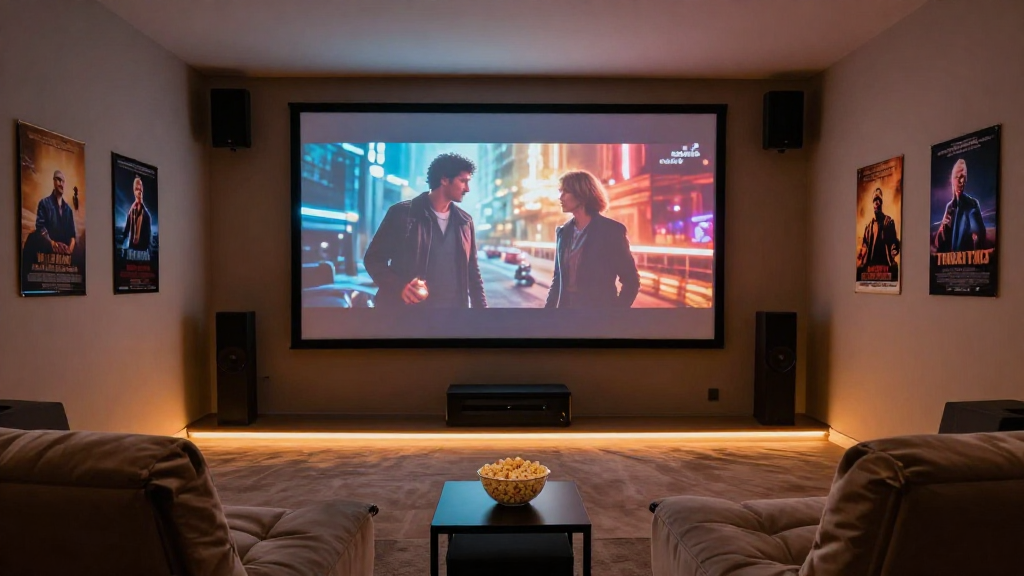
In this article, we will explore how to set up a home theater, covering everything from equipment selection to installation and optimization.
What Equipment Do You Need for a Home Theater?
Choosing the right equipment is crucial for achieving the best home theater experience. Here’s a breakdown of the essential components:
1. Display Options
- Television: A large LED or OLED TV can provide sharp images and vibrant colors.
- Projector: For a cinematic experience, consider a projector with a large screen.
- Screen Type: If using a projector, opt for a quality screen that enhances picture clarity.
2. Audio Systems
Audio quality can significantly impact your viewing experience. Choose from the following options:
- Soundbar: An easy-to-install option that enhances sound without multiple speakers.
- Surround Sound System: For a more immersive experience, consider a full 5.1 or 7.1 surround sound setup.
- AV Receiver: Acts as the hub for your audio and video components, allowing you to manage everything from one place.
3. Streaming Devices
To access your favorite movies and shows, you might want:
- Smart TV: Built-in apps for streaming services.
- Streaming Box: Devices like Roku or Apple TV can enhance your viewing options.
- Gaming Consoles: Can double as streaming devices while providing gaming capabilities.
How Do You Arrange Your Home Theater Space?
The arrangement of your home theater space plays a critical role in optimizing your viewing experience. Here are some tips to consider:
1. Seating Arrangement
Your seating should be comfortable and positioned for optimal viewing. Consider the following:
- Distance from Screen: Ideally, sit at a distance of 1.5 to 2.5 times the diagonal size of your screen.
- Row Configuration: For larger groups, consider tiered seating to ensure everyone has a clear view.
- Recliners or Sofas: Invest in comfortable seating that complements your theater theme.
2. Acoustic Treatment
Proper acoustic treatment can improve sound quality in your home theater. Here are some options:
- Acoustic Panels: These can absorb sound and reduce echoes.
- Rugs and Curtains: Soft furnishings can help dampen sound reflections.
- Wall Treatments: Consider using soundproofing materials to enhance audio quality.
3. Lighting Control
Lighting can dramatically affect your viewing experience. To achieve ideal lighting:
- Dimmer Switches: Install dimmable lights for adjustable brightness.
- Blackout Curtains: Use heavy curtains to block out external light during viewing.
- Ambient Lighting: Consider backlighting your screen or using LED strips for a cinema-like atmosphere.
What Steps Are Involved in Setting Up a Home Theater System?
After gathering your equipment and planning your space, it’s time to set up your home theater. Here’s a step-by-step guide:
1. Install Your Display
Begin by mounting or placing your display. Follow these suggestions:
- Wall Mounting: If wall-mounting, ensure it’s secure and at eye level.
- Projector Setup: If using a projector, mount it on the ceiling or a shelf and align it with the screen.
- Screen Installation: Make sure your screen is taut and properly positioned.
2. Connect Your Audio System
Next, connect your audio system to enhance sound quality:
- Wiring: Use quality cables to connect your speakers to the AV receiver.
- Speaker Placement: Position surround speakers at ear level for optimal sound.
- Calibration: Use the receiver’s calibration tools to adjust audio settings.
3. Configure Your Streaming Devices
Now, set up your streaming devices to access content:
- Network Connection: Ensure your devices are connected to a stable Wi-Fi network.
- App Installation: Download necessary streaming apps on your devices.
- Account Setup: Sign in to your streaming accounts for easy access.
How Can You Optimize Your Home Theater Experience?
To ensure that your home theater is performing at its best, consider the following optimization tips:
1. Adjust Picture and Sound Settings
Fine-tuning your settings can greatly enhance your experience:
- Picture Mode: Select the best picture mode based on your viewing environment.
- Sound Modes: Use specific sound modes for movies, music, or gaming.
- Calibration Tools: Use tools or professional services to calibrate your system for optimal performance.
2. Regular Maintenance
To keep your home theater in top shape, regular maintenance is key:
- Cleaning: Dust your equipment and clean screens regularly to maintain clarity.
- Software Updates: Keep your devices updated for the latest features and security.
- Check Connections: Periodically inspect all connections to ensure they are secure.
3. Enjoying Your Home Theater
Finally, the best part of setting up a home theater is enjoying it:
- Host Movie Nights: Invite friends and family for a cinematic experience at home.
- Explore New Content: Try different genres or streaming services to keep things fresh.
- Create a Schedule: Set aside time for regular viewing sessions to make the most of your setup.