
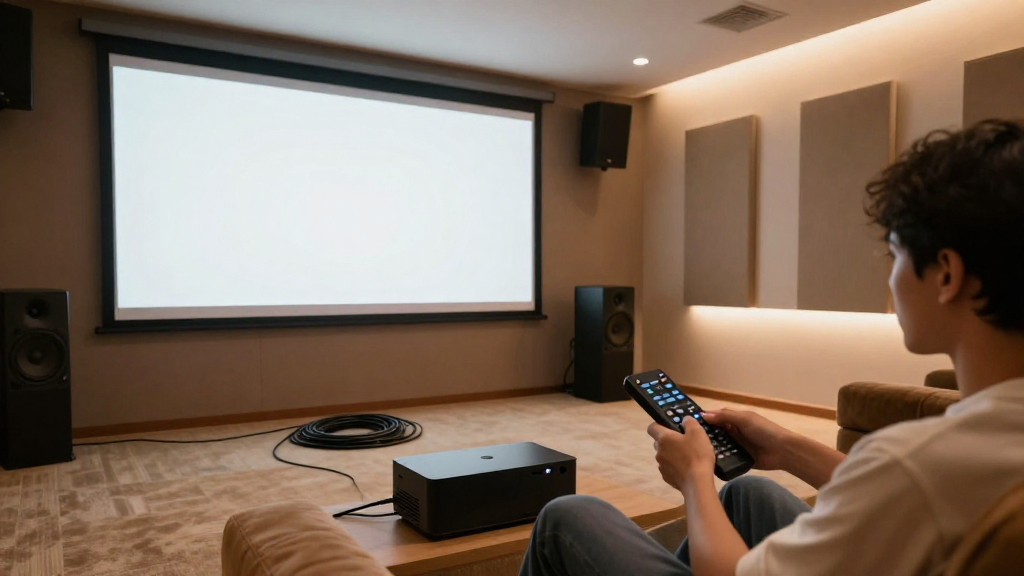
In this article, we will explore how to fix home theater sound issues that can disrupt your movie and music experiences.
What are Typical Home Theater Sound Issues?
Understanding the common sound issues can help you address them effectively. Here are some typical problems:
- Poor audio clarity
- Unbalanced sound levels
- Audio delay or latency
- Background noise interference
Audio Clarity Problems
Poor audio clarity can make it difficult to understand dialogue in movies or lyrics in songs. This issue often arises from inadequate speaker placement or suboptimal audio settings.
Unbalanced Sound Levels
If you find that certain speakers are too loud or too quiet, it can lead to an unbalanced sound experience. This often results from improper volume adjustments or the design of your room.
Audio Delay or Latency
Audio delay occurs when the sound does not sync with the visuals. This can be caused by the processing time of your AV receiver or the connection type you are using.
Background Noise Interference
Background noise can significantly distract from your home theater experience. Common sources include other electronics, appliances, or even external environmental noises.
How Can You Diagnose Home Theater Sound Issues?
Once you know the common issues, diagnosing the problem becomes simpler. Here’s how you can proceed:
- Test each speaker individually
- Check your audio settings
- Examine cable connections
Testing Each Speaker
To ensure each speaker is functioning properly, play audio through each one individually. This will help you identify if any speakers are malfunctioning.
Checking Audio Settings
Navigate through your AV receiver’s settings to verify that the audio formats are compatible with your devices. Incorrect settings can lead to poor sound quality.
Examining Cable Connections
Loose or damaged cables can lead to audio issues. Ensure all connections are secure and replace any frayed cables as needed.
What Steps Can You Take to Fix Home Theater Sound Issues?
Now that you have diagnosed the problems, it’s time to implement solutions. Consider the following steps:
- Reposition your speakers
- Adjust audio settings
- Upgrade your equipment
Repositioning Speakers
Speaker placement plays a crucial role in sound quality. Ensure that your speakers are positioned at ear level and away from walls to minimize sound distortion.
Adjusting Audio Settings
Sometimes, simply adjusting the equalizer settings on your AV receiver can significantly enhance sound quality. Experiment with different presets to find the best fit for your room.
Upgrading Equipment
If your speakers or receiver are outdated, consider investing in newer models. Modern equipment often comes with advanced features that can greatly improve your sound experience.
How Can Room Acoustics Affect Home Theater Sound?
The acoustics of your room can drastically impact audio performance. Here’s what to consider:
- Room size and shape
- Speaker placement
- Use of acoustic treatments
Room Size and Shape
The dimensions of your room can create sound reflections and echoes. A larger room may require more powerful speakers, while a smaller room may benefit from sound-absorbing materials.
Speaker Placement
Improper speaker placement can lead to phase issues and sound cancellation. Use the rule of thirds to position your speakers for optimal sound distribution.
Using Acoustic Treatments
Acoustic panels, rugs, and curtains can help manage sound reflections. Consider adding these elements to your home theater for a more controlled sound environment.
What Are Some Common Mistakes to Avoid?
When troubleshooting sound issues, avoid these common pitfalls:
- Ignoring speaker specifications
- Overlooking system compatibility
- Neglecting room acoustics
Ignoring Speaker Specifications
Each speaker has specific performance specs that should match your receiver’s output. Ignoring these can lead to underwhelming audio experiences.
Overlooking System Compatibility
Ensure that all components in your home theater system are compatible. Mismatched devices can cause audio problems and reduce overall performance.
Neglecting Room Acoustics
Failing to account for room acoustics can lead to persistent sound issues. Always consider the environment in which your home theater is set up.
How Can You Maintain Your Home Theater Sound System?
After resolving any issues, regular maintenance is crucial for optimal performance. Here’s how to maintain your system:
- Regularly clean your equipment
- Update firmware and software
- Check connections periodically
Cleaning Your Equipment
Dust and debris can affect sound quality. Regularly clean your speakers, receiver, and other components to ensure they operate effectively.
Updating Firmware and Software
Manufacturers often release updates to improve functionality. Check for updates regularly to ensure your system is running optimally.
Checking Connections
Periodically inspect all cables and connections. Replace any that show signs of wear to prevent sound issues from arising in the future.
Conclusion
Fixing home theater sound issues can be achieved with a systematic approach. By diagnosing problems, implementing effective solutions, and maintaining your equipment, you can enjoy a superior audio experience.