
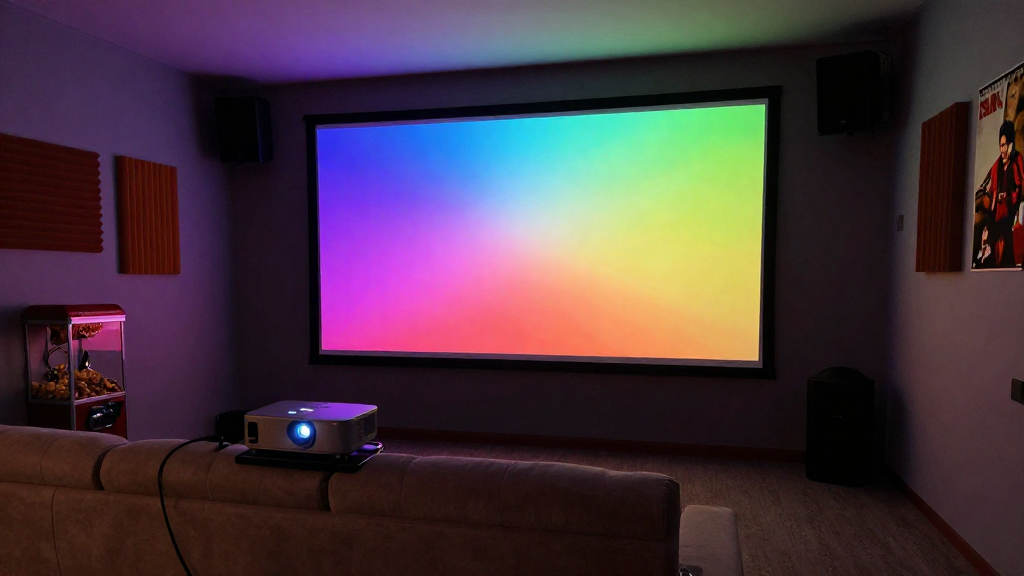
In this article, we will explore the concept of home theater throw distance explained—a crucial factor for achieving the best viewing experience in your home theater setup.
What Does Throw Distance Mean?
Throw distance refers to the distance between the projector and the screen for optimal image quality. This measurement is vital for ensuring that the projector delivers a clear, focused image without distortion.
Understanding Projector Specs
Most projectors come with a specific throw ratio, which determines how far the projector needs to be placed from the screen to produce a certain image size. For example, a projector with a throw ratio of 1.5:1 will require 1.5 feet of distance for every foot of width of the projected image. Knowing this helps you position your projector accurately.
Importance of Throw Distance
The correct throw distance ensures that your projector delivers the best possible picture quality. If the projector is placed too far away, the image may appear washed out or blurry. Conversely, if it’s too close, you may experience keystoning—where the image appears distorted.
Common Throw Ratios
- Short Throw: Typically ranges from 0.4:1 to 1.0:1, suitable for smaller spaces.
- Standard Throw: Usually between 1.0:1 and 2.0:1, ideal for medium-sized rooms.
- Long Throw: Often exceeds 2.0:1, best for larger spaces.
How to Calculate Throw Distance?
Calculating the appropriate throw distance can be straightforward if you know your projector’s throw ratio and the desired image size. This enables you to create the perfect home theater environment.
Step-by-Step Calculation
To determine the throw distance needed for your projector, follow these simple steps:
- Identify the projector’s throw ratio from the specifications.
- Decide on the width of the projected image you desire.
- Multiply the throw ratio by the image width to find the throw distance.
Sample Calculation
For instance, if you have a projector with a throw ratio of 1.5:1 and you want an image width of 100 inches, the calculation would be:
- 1.5 (throw ratio) x 100 (image width) = 150 inches (throw distance).
Using Online Calculators
Many websites offer free online calculators that can simplify this process. Simply input the projector’s throw ratio and desired image size, and the tool will provide the necessary throw distance. This can save time and ensure accuracy in your setup.
What Factors Affect Throw Distance?
Several factors can influence the throw distance needed for your projector. Understanding these can help you make informed decisions when setting up your home theater.
Screen Size and Aspect Ratio
The size and aspect ratio of your screen play a significant role in determining throw distance. A larger screen will require a greater throw distance, while the aspect ratio will influence how far back the projector can be positioned without compromising image quality.
Room Size and Layout
Your room’s dimensions and layout can also affect how you set up your projector. In a smaller room, you may need a short throw projector to achieve the desired image size without sacrificing space. Conversely, larger rooms may accommodate long throw projectors.
Projector Type
Different types of projectors have different throw ratios. For example, a standard projector might not work well in a tight space, while a short throw projector can provide a large image from a minimal distance.
What Is the Impact of Incorrect Throw Distance?
Using an incorrect throw distance can lead to various issues that affect the overall viewing experience. Understanding these impacts can help you avoid common pitfalls.
Image Quality Issues
When the throw distance is not set correctly, you may experience issues such as a blurry image, color distortion, or pixelation. These problems can detract from the home theater experience, making it less enjoyable.
Keystoning Effects
Improper placement of the projector can lead to keystoning, where the projected image appears trapezoidal instead of rectangular. This distortion can be distracting and may require digital adjustments to correct.
Viewing Distance
Another aspect to consider is the viewer’s distance from the screen. If the throw distance results in a large image, viewers may need to sit further away to comfortably see the entire image without straining their eyes.
How to Optimize Your Home Theater Setup?
To achieve the best viewing experience, optimizing your home theater setup is essential. This involves not just considering throw distance but also other factors.
Choose the Right Projector
Selecting a projector that fits your space is crucial. If you have a small room, a short throw projector will be more effective, while larger rooms may benefit from standard or long throw projectors.
Position the Projector Correctly
Once you’ve calculated the throw distance, ensure the projector is positioned at the right height and angle. This helps minimize distortion and ensures that the image is as clear as possible.
Test and Adjust Settings
After setting up your projector, take the time to test and adjust various settings, including brightness, contrast, and color calibration. This can significantly enhance the viewing experience and compensate for any minor placement issues.
Conclusion
Understanding the concept of home theater throw distance explained is vital for creating an optimal viewing environment. By calculating the right throw distance, considering the factors that affect it, and optimizing your setup, you can ensure that your home theater provides an enjoyable and immersive experience for all viewers.