
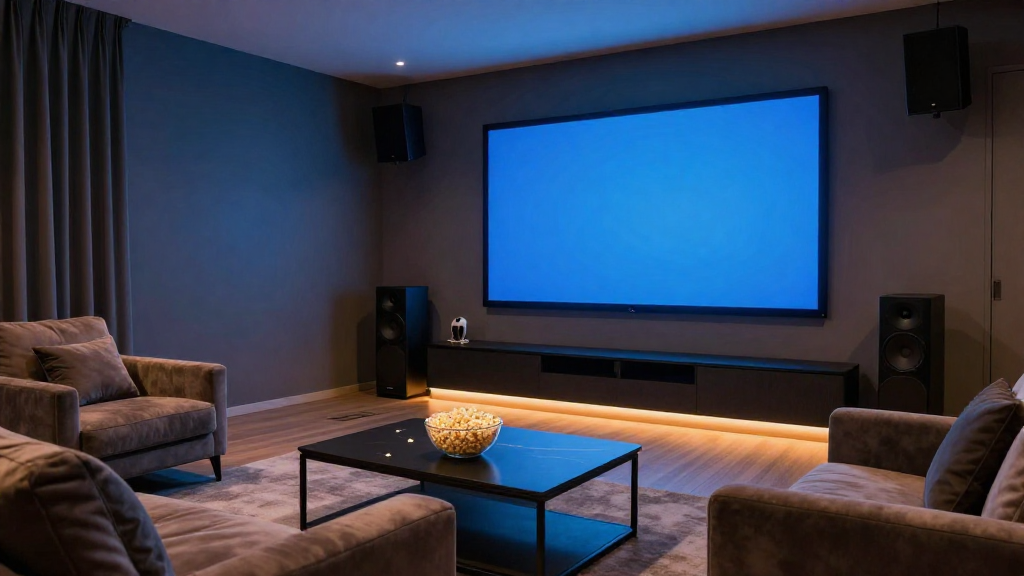
In this article, we will explore the essential steps to create an optimal home theater setup that enhances your viewing experience.
What Equipment Do You Need for a Home Theater Setup?
To begin your journey toward an impressive home theater setup, you need to gather the right equipment. Each component plays a crucial role in delivering high-quality audio and video.
Essential Components
- Television or Projector: Choose a high-definition screen or projector that fits your space and viewing preferences.
- Audio System: Invest in a quality sound system, such as a soundbar or surround sound speakers, to enhance audio clarity.
- Media Player: A Blu-ray player, gaming console, or streaming device will provide access to your favorite movies and shows.
Optional Accessories
- Streaming Devices: Devices like Roku or Chromecast can provide additional streaming options.
- Remote Control: Consider a universal remote for easy control of all devices.
- Furniture: Comfortable seating can elevate the overall experience.
Choosing the Right Cables
Don’t overlook the importance of quality cables in your home theater setup. Use HDMI cables for video and audio transmission, and consider speaker wire for connecting speakers.
How Do You Arrange Your Home Theater Setup?
Once you have your equipment, the next step is arranging your home theater setup for optimal performance. Proper placement of each component is key to achieving the best audio and visual experience.
Positioning the TV or Projector
Your screen should be positioned at eye level for an immersive experience. Consider the distance between the seating and the screen, ensuring that it’s neither too close nor too far.
Setting Up the Speakers
For surround sound, place the speakers strategically around the room. Front speakers should be positioned at ear level, while surround speakers can be slightly above ear level.
Arranging the Seating
Arrange your seating to face the screen directly. Avoid placing seats in corners or too close to the screen to prevent discomfort.
What Are the Best Practices for a Home Theater Setup?
Implementing best practices can significantly enhance your home theater setup. Consider the following tips to optimize your space.
Acoustic Treatments
Adding acoustic panels can help control sound reflections in the room, improving audio quality. Soft furnishings, like rugs and curtains, can also absorb sound.
Lighting Control
Control the lighting in your home theater setup to reduce glare on the screen. Use blackout curtains and dimmable lights to create the perfect ambiance.
Calibration and Testing
After setting up, calibrate your audio and video settings. Use test patterns and sound calibration tools to ensure optimal performance.
How Can You Upgrade Your Home Theater Setup?
As technology advances, upgrading your home theater setup can enhance your viewing experience even further. Here are some ways to make improvements.
Adding 4K Technology
If you haven’t already, consider upgrading to a 4K television or projector. This technology provides stunning clarity and detail, making your viewing more enjoyable.
Implementing Smart Home Features
Integrate smart home technology to control your home theater setup effortlessly. Use smart speakers and home automation systems for seamless operation.
Enhancing Audio Systems
Consider upgrading to a high-end audio system or adding a subwoofer for deeper bass. This enhancement will significantly improve your sound experience.
What Common Mistakes Should You Avoid in Your Home Theater Setup?
Even with the best intentions, it’s easy to make mistakes when setting up a home theater. Avoid the following pitfalls to ensure a stellar experience.
Ignoring Room Acoustics
Failing to account for room acoustics can lead to poor sound quality. Pay attention to how sound behaves in your space and make adjustments as necessary.
Overlooking Cable Management
Poor cable management can detract from the aesthetics of your home theater setup. Use cable ties and management systems to keep cords organized and hidden.
Not Testing the Setup
After completing your setup, always test the system before using it for movie nights. This will help you identify any issues and make necessary adjustments.
How Do You Maintain Your Home Theater Setup?
Regular maintenance is key to keeping your home theater setup functioning optimally. Here are some tips to ensure longevity and performance.
Cleaning Equipment
Dust and dirt can accumulate on your components over time. Regularly clean your equipment, including screens and speakers, to maintain performance.
Updating Software
Keep your devices updated with the latest software to ensure compatibility and access to new features. This is especially important for streaming devices and media players.
Periodic Calibration
Regularly recalibrate your audio and video settings as your room or equipment changes. This practice will help maintain the best possible experience.