
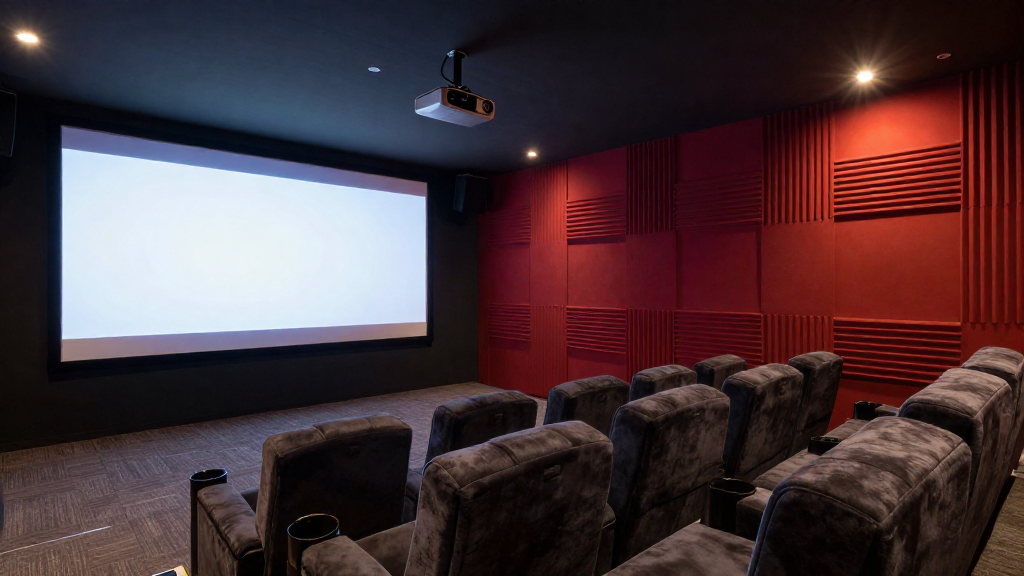
Choosing the right home theater projector placement is crucial for optimizing your viewing experience. This article explores the best practices to help you find the ideal spot for your projector.
What is the Ideal Height for Projector Placement?
The height of your projector can significantly impact the picture quality. Understanding the ideal height is essential for achieving a balanced image.
Consider the Screen Height
When determining the projector height, consider the height of your screen. The projector should be aligned with the top or the middle of the screen to avoid distortion. A common rule is to position the projector at least 1.5 to 2 times the screen height.
Mounting Options
There are various mounting options available for projectors. You can choose between ceiling mounts, wall mounts, or even tabletop placement. Each option has its benefits depending on the room layout and screen placement.
Adjusting for Lens Shift
Many projectors come with a lens shift feature. This allows you to adjust the image without moving the projector. Ensure that your projector offers lens shift if you need flexibility in height placement.
How Far Should a Projector Be from the Screen?
The distance between the projector and the screen is critical for achieving the right image size. This distance varies based on the projector’s specifications and the desired screen size.
Understanding Throw Ratio
The throw ratio is a key factor in determining how far your projector should be from the screen. A projector with a throw ratio of 1.5:1 means that for every 1 foot of screen width, the projector should be placed 1.5 feet away. Check the specifications of your projector for the exact throw ratio.
Calculating Distance for Different Screen Sizes
Once you know the throw ratio, you can calculate the appropriate distance for various screen sizes. For instance, a 100-inch screen may require a distance of around 10-12 feet depending on the throw ratio. Always measure to ensure accuracy.
Room Size Considerations
Consider the overall size of your room when deciding projector distance. A larger room may allow for a further distance, while a smaller room may necessitate a closer placement. Ensure that the placement doesn’t obstruct the flow of the room.
What Are the Best Mounting Options for a Projector?
Choosing the right mounting option is crucial for effective home theater projector placement. Different options can enhance your viewing experience based on your room layout.
Ceiling Mounts
Ceiling mounts are often preferred for home theaters due to their ability to save space. They provide a clean look and can often be adjusted to achieve the perfect angle. Ensure that the mount can support the weight and size of your projector.
Wall Mounts
Wall mounts can be useful in smaller spaces or when ceiling mounting is not feasible. They can help to keep the projector out of the way while still providing a good viewing angle. Check for stability and compatibility with your projector model before installation.
Tabletop Placement
If you prefer not to mount your projector, tabletop placement is an option. This allows for easy adjustments and maintenance. However, ensure that the projector is positioned at the correct height and distance from the screen.
How Can You Avoid Common Placement Mistakes?
Making mistakes in projector placement can lead to a subpar viewing experience. Here are some common pitfalls and how to avoid them.
Incorrect Height and Angle
One of the most common mistakes is failing to mount the projector at the correct height and angle. This can result in image distortion or keystone effects. Always double-check the projector’s specifications and adjust accordingly.
Inadequate Distance
Placing the projector too close or too far from the screen can cause issues with image clarity and size. Make sure to calculate the ideal distance based on the throw ratio and your screen size.
Ignoring Ambient Light
Ambient light can greatly affect the picture quality of your projector. Avoid placing the projector where it will be affected by direct sunlight or bright room lights. Consider blackout curtains or shading options to enhance your viewing experience.
What are the Best Practices for Wiring and Connectivity?
Proper wiring and connectivity are essential for a seamless home theater experience. Follow these best practices for optimal results.
Plan Your Wiring Ahead
Before you install your projector, plan your wiring layout. Ensure that all cables are hidden if possible for a clean look. This includes HDMI, power, and any audio connections that may be necessary.
Use Quality Cables
Invest in high-quality cables to ensure that you get the best performance from your projector. Poor quality cables can lead to signal loss and degraded image quality. Look for HDMI cables with good shielding and ratings for length.
Consider Wireless Options
If wiring seems cumbersome, consider wireless options for connecting your projector. Many modern projectors support wireless streaming, which can simplify setup and reduce clutter. However, ensure that your Wi-Fi connection is strong enough to handle the data transfer.
How Can You Optimize Your Home Theater Projector Experience?
After deciding on the right home theater projector placement and setup, consider ways to optimize your overall experience.
Calibrate Your Projector
Calibrating your projector can greatly enhance image quality. Make sure to adjust brightness, contrast, and color settings to match your viewing environment. Many projectors come with preset modes for different settings.
Invest in a Quality Screen
The type of screen you use can affect your viewing experience. High-quality screens are designed to reflect light more effectively, improving picture quality. Consider materials that enhance brightness and color accuracy.
Create the Right Atmosphere
Finally, creating the right atmosphere can enhance your home theater experience. Consider comfortable seating, good acoustics, and appropriate lighting. Dimming lights and using soundproofing can make a significant difference in your viewing experience.