
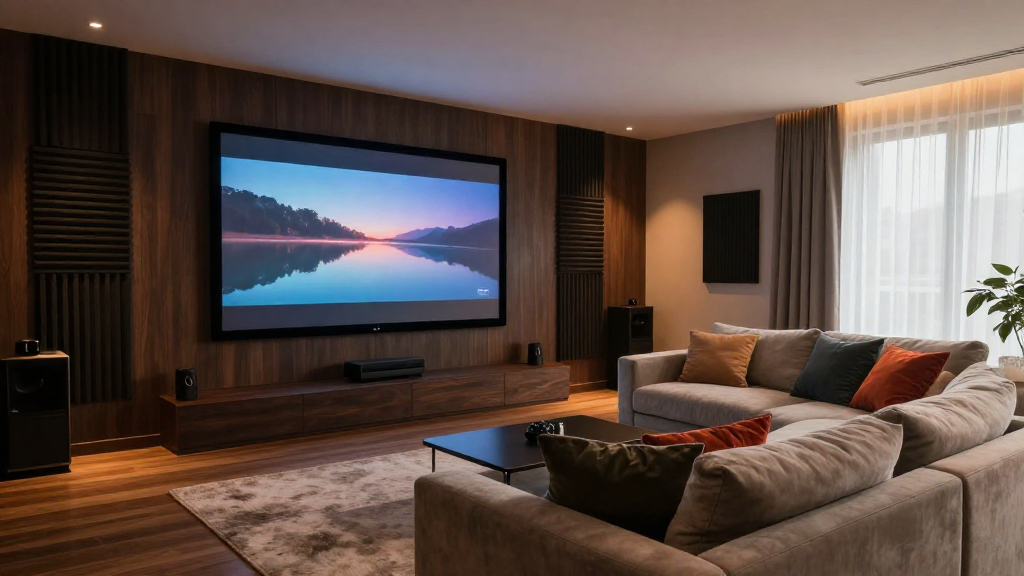
This article serves as a complete home theater guide for beginners, detailing essential components and tips for creating the ultimate viewing experience.
What Are the Key Components of a Home Theater?
Understanding the key components is vital for anyone embarking on their home theater journey. A well-rounded system enhances the overall experience.
1. Display Options
The heart of any home theater is the display. You have several options:
- LCD/LED TVs: Great for bright rooms and versatile viewing.
- OLED TVs: Known for deep blacks and vibrant colors.
- Projectors: Ideal for large screens and cinematic experiences.
2. Audio Systems
Audio quality can make or break your movie-watching experience. Consider the following:
- Soundbars: Compact and easy to install with decent sound quality.
- Surround Sound Systems: For an immersive audio experience.
- AV Receivers: Manage multiple audio and video sources.
3. Seating Arrangements
Comfort is key when designing your home theater. Think about:
- Recliners: Perfect for long movie marathons.
- Couches: Suitable for families and larger gatherings.
- Stadium Seating: Enhances sight lines in larger rooms.
4. Lighting Solutions
The right lighting can enhance your viewing experience. Options include:
- Dimmable Lights: Control brightness for different moods.
- LED Strips: Add ambiance and improve aesthetics.
- Blackout Curtains: Essential for controlling natural light.
5. Cables and Connectors
Quality cables ensure optimal performance. Remember to consider:
- HDMI Cables: Necessary for high-definition video and audio.
- Speaker Wires: Choose the right gauge for your setup.
- Power Strips: Protect your equipment from surges.
How Do You Set Up Your Home Theater?
Setting up your home theater is a step-by-step process that requires careful planning and execution.
1. Choose the Right Location
Finding the right space is crucial to the overall experience. Consider:
- The size of the room.
- Soundproofing options.
- Proximity to power outlets and internet connections.
2. Arrange Your Equipment
Once you have your components, the next step is to arrange them effectively. Think about:
- Keeping the speakers at ear level for optimal sound.
- Ensuring the screen is at a comfortable viewing height.
- Organizing cables to minimize clutter.
3. Calibrate Your Audio and Video
Calibration ensures that your system is performing at its best. This includes:
- Adjusting speaker levels for balanced sound.
- Setting the picture settings for optimal brightness and contrast.
- Using calibration tools or software for fine-tuning.
4. Test Your Setup
Before diving into your favorite movie, take the time to test your setup. Check for:
- Audio sync issues.
- Video quality at different resolutions.
- Comfort of seating arrangements.
5. Optimize Your Environment
Consider making adjustments to your room to enhance your experience further. This may involve:
- Arranging furniture to minimize sound reflection.
- Adding acoustic panels for better sound quality.
- Controlling ambient light for an optimal viewing experience.
What Are the Common Mistakes to Avoid?
Learning from the mistakes of others can save you time and money. Here are some common pitfalls.
1. Overlooking Audio Quality
Many beginners focus heavily on video and neglect audio quality. A few tips include:
- Invest in a quality sound system.
- Position speakers correctly.
- Calibrate audio settings based on room acoustics.
2. Poor Cable Management
Cable clutter can detract from the aesthetics of your home theater. To manage cables effectively:
- Use cable ties or sleeves.
- Label cables for easy identification.
- Route cables along walls or behind furniture.
3. Ignoring Lighting
Inadequate lighting can ruin the viewing experience. Consider the following:
- Use dimmable lights to control brightness.
- Install blackout curtains to block external light.
- Utilize ambient lighting to enhance the atmosphere.
4. Skipping Room Calibration
Failing to calibrate your system can lead to subpar performance. Ensure you:
- Regularly check audio and video settings.
- Use calibration tools when necessary.
- Seek professional help if needed.
5. Not Doing Research
Many beginners rush into purchases without proper research. To avoid this:
- Read reviews and comparisons of products.
- Watch tutorial videos online.
- Consult forums or communities for advice.
How Can You Enhance Your Home Theater Experience?
Once you have your home theater set up, there are additional ways to enhance the experience.
1. Streaming Services
Consider subscribing to multiple streaming services to access a wider variety of content. Options include:
- Netflix: Offers a vast library of movies and shows.
- Amazon Prime Video: Includes many exclusive titles.
- Disney+: Perfect for family-friendly content.
2. Gaming Consoles
Integrating gaming into your home theater can provide additional entertainment. Popular options include:
- PlayStation: Known for exclusive titles and stunning graphics.
- Xbox: Offers a range of games and services.
- Switch: Great for family-friendly gaming.
3. Home Automation
Consider smart home technologies to control your environment. This can include:
- Smart Lighting: Adjust lights from your smartphone.
- Smart Speakers: Use voice commands for playback.
- Streaming Devices: Enhance connectivity with services.
4. Personalized Decor
Make the space your own with personal touches. Ideas include:
- Posters of your favorite movies.
- Custom seating arrangements.
- Unique decorations that reflect your style.
5. Regular Maintenance
Regularly maintaining your home theater system is crucial for longevity. Focus on:
- Cleaning components to prevent dust buildup.
- Updating software and firmware.
- Checking connections and cables periodically.