
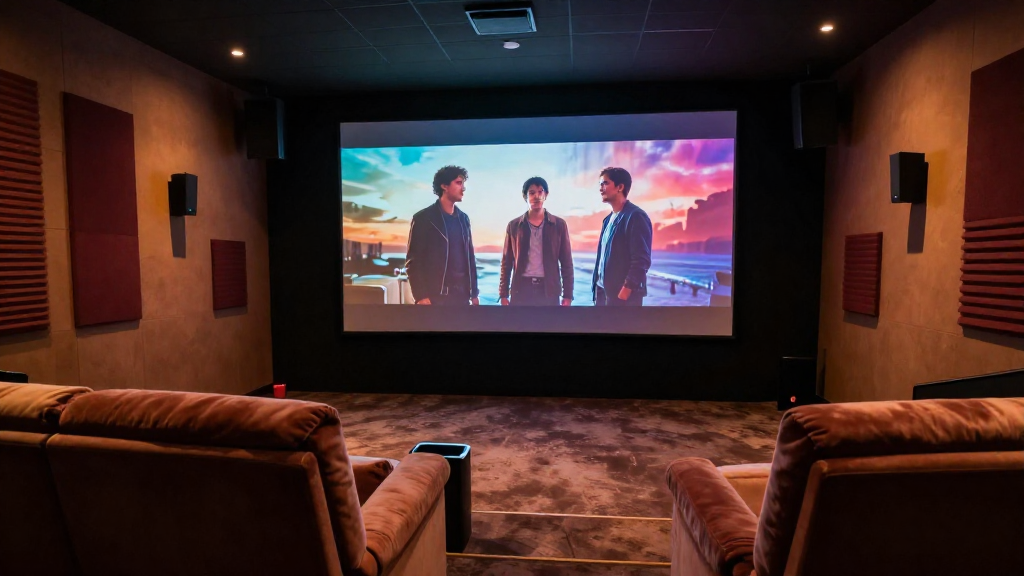
In this article, we will explore the concept of home theater frame rate explained, helping you determine the best frame rates for your setup.
What is Frame Rate?
Frame rate refers to the number of individual frames or images displayed in one second. It is measured in frames per second (FPS). The frame rate significantly influences the smoothness of video playback and the overall viewing experience.
Understanding Frames Per Second (FPS)
FPS is a critical metric in video production and playback. Most movies are filmed at 24 FPS, which provides a cinematic feel. In contrast, video games often run at higher frame rates, such as 30, 60, or even 120 FPS, for smoother motion.
Common Frame Rates in Media
- 24 FPS: Commonly used in films for a more cinematic look.
- 30 FPS: Often used for TV shows and videos.
- 60 FPS: Standard for high-definition video and gaming.
How Frame Rate Affects Viewing Experience
The frame rate can dramatically alter the viewer’s experience. Higher frame rates can lead to smoother motion, while lower frame rates can create a more traditional filmic style. Understanding these differences can help you choose the right frame rate for your home theater.
Why is Frame Rate Important in Home Theater?
When setting up a home theater, selecting the appropriate frame rate is essential for delivering an immersive experience. The right frame rate enhances video quality and viewer engagement.
Impact on Motion Clarity
A higher frame rate improves motion clarity, making fast-moving scenes appear smoother and more fluid. This is particularly important for action movies and sports broadcasts, where quick movements are common. Choosing a frame rate that matches your content is crucial for maintaining clarity.
Compatibility with Display Technology
Different display technologies, such as LED, OLED, and projectors, may perform better with specific frame rates. Ensuring compatibility between your content and display can enhance overall performance. Check your display specifications to optimize frame rate settings.
Viewer Preference and Comfort
Some viewers may prefer the classic film look of 24 FPS, while others may enjoy the smoothness of 60 FPS. Understanding audience preferences can guide your choice of frame rate. It’s essential to consider who will be watching and their comfort level with different frame rates.
What Frame Rates Should You Use for Different Content?
Choosing the right frame rate depends on the type of content you are watching. Different genres may benefit from different frame rates, so it’s essential to tailor your settings accordingly.
Movies and TV Shows
For cinematic films, 24 FPS is the standard and provides that traditional movie feel. TV shows often use 30 FPS for a smoother look. However, some modern shows are starting to experiment with higher rates, such as 60 FPS, for a more immersive experience.
Sports and Action Content
For sports and action-packed films, a frame rate of 60 FPS is typically recommended. This frame rate captures fast movements more effectively, making it easier to follow the action. Many sports broadcasts are now available in 60 FPS to enhance viewing pleasure.
Gaming
In gaming, frame rates can vary significantly. Many gamers strive for frame rates above 60 FPS, as higher rates can lead to a more responsive and enjoyable experience. Some high-end displays support frame rates up to 120 FPS or even higher, providing a smoother gaming environment.
How to Adjust Frame Rates in Your Home Theater Setup?
Adjusting frame rates in your home theater setup can optimize your viewing experience. Here are some essential steps to consider.
Adjusting Settings on Your Display
First, access your display’s settings menu. Many modern TVs and projectors allow you to change the frame rate settings. Look for options like “Motion Smoothing” or “Frame Rate Conversion” to customize your experience.
Configuring Your Media Player
Next, check your media player’s settings. Many streaming devices and Blu-ray players allow you to set the output frame rate. Ensure your player is set to match the frame rate of your content for the best results.
Consider Using External Software
If you are using a PC for your home theater, consider software that allows you to adjust frame rates dynamically. Programs like VLC or Kodi can provide advanced settings to optimize frame rates based on your preferences.
What Are the Common Issues with Frame Rates?
Understanding potential issues with frame rates can help you troubleshoot problems in your home theater setup. Here are some common concerns.
Frame Rate Conversion Artifacts
Frame rate conversion can sometimes lead to artifacts like judder or motion blur. This occurs when a frame rate is altered, and the result may not be ideal for viewing. It’s best to avoid unnecessary conversions to maintain the highest quality.
Latency and Lag
Higher frame rates can sometimes introduce latency, particularly in gaming. If your display or media player struggles to keep up, it may result in lag. Ensure your equipment is capable of handling the desired frame rate to minimize these issues.
Incompatibility Between Devices
Sometimes, devices in your home theater setup may not be compatible with each other in terms of frame rates. This can lead to issues like screen tearing or stuttering. Always check compatibility when adding new components to your system.
Conclusion
In summary, understanding home theater frame rate explained is crucial for optimizing your viewing experience. By selecting the right frame rates for different types of content, you can enhance the quality of your home theater setup. Make sure to adjust your settings appropriately and consider viewer preferences to create the best possible experience.