
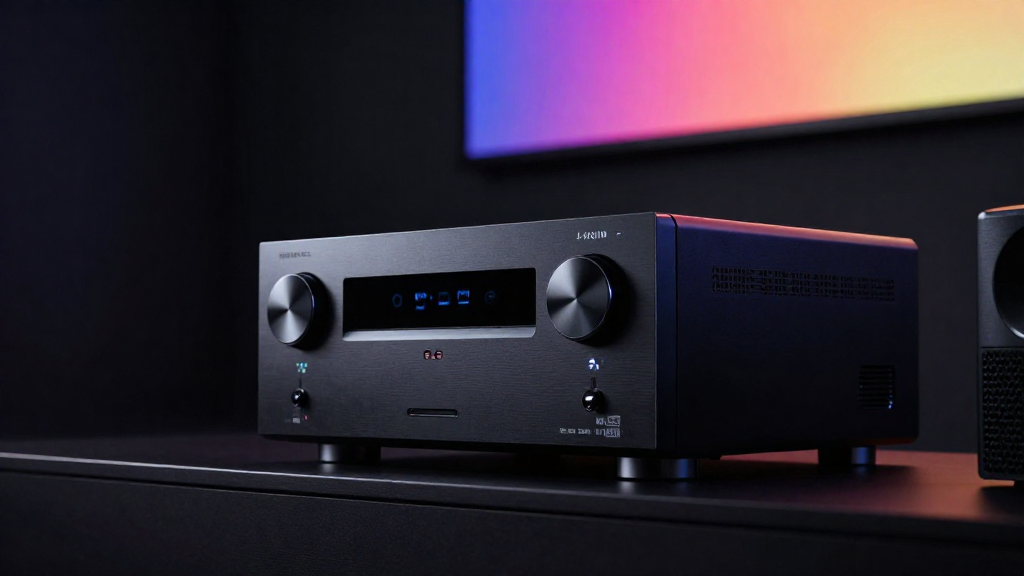
In this article, we will delve into home theater firmware explained, highlighting its significance in enhancing the performance and functionality of your home theater devices.
What is Firmware?
Firmware is a specialized type of software embedded in hardware devices, providing low-level control for the device’s specific hardware. Unlike regular software, firmware is tightly linked to the hardware it operates on, making it crucial for functionality.
How Does Firmware Work?
Firmware operates at a basic level, directly communicating with the hardware components of a device. It acts as a bridge between the hardware and higher-level software, ensuring that commands from applications are executed correctly. This is particularly important in home theater devices, where precise timing and control are essential for optimal performance.
Examples of Firmware in Home Theater Devices
- Streaming Devices: Devices like Roku and Amazon Fire TV rely on firmware to manage streaming protocols.
- Receivers: Home theater receivers use firmware to decode audio and video signals.
- Projectors: Firmware in projectors controls image processing and display settings.
Why is Firmware Important?
Firmware is vital because it determines how effectively a device operates. Without proper firmware, hardware may not function correctly or efficiently. Updates to firmware can also enhance performance, fix bugs, and introduce new features, making it essential for users to keep their devices updated.
How Does Firmware Affect Home Theater Performance?
The performance of your home theater system is heavily influenced by the quality and updates of its firmware. Understanding how firmware impacts various components can help you optimize your setup.
Audio Quality
Firmware updates can improve audio processing capabilities in home theater receivers, enhancing sound quality and ensuring compatibility with the latest audio formats. For example, updates may provide support for newer codecs, such as Dolby Atmos or DTS:X, which can significantly elevate your listening experience.
Video Quality
Similarly, firmware impacts video output and processing in devices like Blu-ray players and projectors. Updates can fix issues with color accuracy, improve scaling for 4K content, or enhance HDR performance, ensuring that you get the best visuals from your home theater setup.
Connectivity and Compatibility
Firmware also plays a critical role in connectivity features such as HDMI-CEC, Bluetooth, and Wi-Fi. Regular updates ensure that your devices remain compatible with new technologies and standards, which is essential for seamless integration within your home theater environment.
What Are the Common Issues with Home Theater Firmware?
While firmware serves as the backbone of home theater devices, it can sometimes lead to issues that affect performance and usability. Identifying these problems is the first step toward resolution.
Software Bugs
One common issue with firmware is the presence of bugs that can cause devices to crash or behave unexpectedly. These bugs can arise from the complexity of software interactions, and manufacturers often release updates to address them.
Outdated Firmware
Running outdated firmware can lead to compatibility issues with new devices or software. For instance, if your streaming device’s firmware is not updated, it may not support the latest apps or services, limiting your viewing options and overall experience.
Installation Errors
Sometimes, the installation of firmware updates can fail, leading to incomplete installations that may hinder device functionality. If a firmware update does not install correctly, it could require troubleshooting or even a factory reset to resolve the issue.
How Can You Update Firmware in Home Theater Devices?
Keeping firmware up to date is essential for optimal performance in your home theater devices. Here are steps you can take to ensure your devices are running the latest firmware.
Check for Updates
Most devices have a built-in feature to check for firmware updates. Navigate to the settings menu of your device and look for an option labeled ‘Software Update’ or ‘Firmware Update.’ Regularly checking for updates can help you stay informed about the latest enhancements and fixes.
Manual Installation
In some cases, you may need to manually install firmware updates. This typically involves downloading the firmware file from the manufacturer’s website onto a USB drive and then connecting that drive to the device. Follow the manufacturer’s instructions carefully for a successful installation.
Automatic Updates
Many modern home theater devices support automatic updates, allowing them to download and install firmware updates without user intervention. Ensure that this feature is enabled in your device settings to simplify the maintenance process.
What Are the Best Practices for Home Theater Firmware Management?
Effective firmware management is key to maintaining a high-performing home theater system. Implementing best practices can help you avoid common pitfalls and ensure your devices operate smoothly.
Stay Informed
Follow manufacturer newsletters, forums, or social media channels to stay updated on new firmware releases and their benefits. Being informed can help you leverage new features and improvements in your devices.
Backup Settings
Before performing firmware updates, it’s wise to back up your device settings. Some updates may reset your device to factory settings, and having a backup allows you to restore your preferred configurations easily.
Read Release Notes
Always read the release notes that accompany firmware updates. These notes provide valuable information about what has changed, what bugs have been fixed, and any new features added. This knowledge can help you decide when and if to update.
Conclusion: Why Understanding Home Theater Firmware Is Essential
In summary, understanding home theater firmware explained is crucial for anyone looking to achieve the best performance from their home entertainment systems. From enhancing audio and video quality to ensuring connectivity, firmware plays a pivotal role in the functionality of your devices. By staying updated on firmware management practices, you can optimize your home theater experience and enjoy all the features your devices have to offer.