
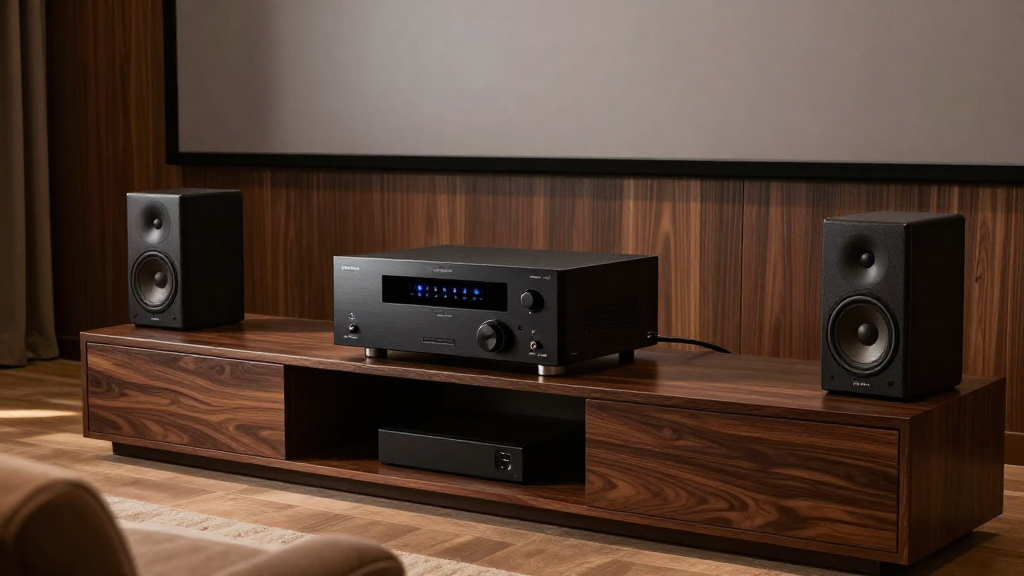
This article explores the concept of an AVR in home theater systems, detailing its functions and benefits.
What Does AVR Stand For?
AVR stands for Audio Video Receiver. The AVR is a crucial component in a home theater system, acting as the central hub for audio and video signals.
What Are the Main Functions of an AVR?
The AVR offers several key functions:
- Audio Processing: It processes audio signals from various sources, ensuring high-quality sound output.
- Video Switching: The AVR switches between different video sources, managing input from devices like Blu-ray players and gaming consoles.
- Amplification: It amplifies audio signals to drive speakers, delivering a powerful sound experience.
Why Is an AVR Important in Home Theater?
The importance of an AVR cannot be overstated. It allows you to:
- Seamlessly integrate multiple devices, enhancing your viewing experience.
- Control sound and picture settings from one central location, simplifying usage.
- Upgrade your system easily by adding or removing components as needed.
How Does an AVR Work?
Understanding how an AVR works helps in maximizing its potential in your home theater setup.
Signal Reception and Processing
An AVR receives audio and video signals from various sources:
- Audio sources include streaming devices, CD players, and turntables.
- Video sources can range from cable boxes to gaming consoles.
- It decodes these signals and processes them for output.
Output to Speakers and Displays
Once the AVR processes the signals, it outputs them to connected speakers and displays:
- Audio is sent to surround sound speakers, providing an immersive experience.
- Video is sent to your television or projector, delivering high-quality visuals.
- Many AVRs support multi-zone setups for audio distribution throughout your home.
What Features Should You Look For in an AVR?
Choosing the right AVR is essential for an optimal home theater experience. Here are some key features to consider:
Audio Formats Supported
Different AVRs support various audio formats:
- Look for support for formats like Dolby Atmos and DTS:X for immersive sound.
- Check compatibility with lossless audio formats for high-fidelity sound.
- Ensure it can decode legacy formats for older devices.
Video Quality and Standards
Video quality is just as important:
- Support for 4K and HDR ensures the best picture quality from modern sources.
- Check for HDMI standards like HDMI 2.1 for future-proofing.
- Look for features like upscaling capabilities for enhanced viewing.
Connectivity Options
Connectivity options are vital for flexibility:
- Ensure there are enough HDMI inputs for all your devices.
- Check for wireless options like Bluetooth and Wi-Fi for streaming.
- Look for USB ports for direct playback from storage devices.
How to Set Up an AVR in Your Home Theater?
Setting up an AVR can enhance your home theater experience significantly. Here’s how to do it:
Choose the Right Location
Placement of the AVR is crucial:
- Position it in a well-ventilated area to prevent overheating.
- Ensure it is accessible for easy connectivity and adjustments.
- Consider placing it in a dedicated media cabinet for organization.
Connect Your Devices
Connecting your devices involves:
- Using HDMI cables for video sources to maintain high quality.
- Connecting audio sources via optical or coaxial cables when necessary.
- Making sure all devices are powered on and recognized by the AVR.
Configure the Settings
Once everything is connected, configuration is next:
- Use the AVR’s setup wizard for initial configuration.
- Calibrate audio levels for each speaker for balanced sound.
- Adjust video settings to match your display preferences.
What Are Common Issues with AVRs?
Understanding common issues can help you troubleshoot effectively.
Audio Sync Problems
Audio sync issues can be frustrating:
- These often occur due to processing delays in the AVR.
- Check for lip-sync adjustments in the AVR settings.
- Ensure that all devices are set to the same audio delay settings.
Connectivity Issues
Connectivity problems can hinder your experience:
- Check all cable connections to ensure they are secure.
- Reset the AVR and connected devices if issues persist.
- Update firmware to resolve any known bugs.
Overheating
Overheating can lead to performance issues:
- Ensure that the AVR has adequate ventilation around it.
- Avoid placing it in confined spaces without airflow.
- Consider using a fan or cooler if overheating continues.
Conclusion: Why You Need an AVR in Your Home Theater
In summary, an AVR is a vital component of any home theater setup. It not only simplifies the integration of multiple devices but also enhances both audio and video experiences. By understanding its functions, features, and setup processes, you can maximize your home theater’s potential.