
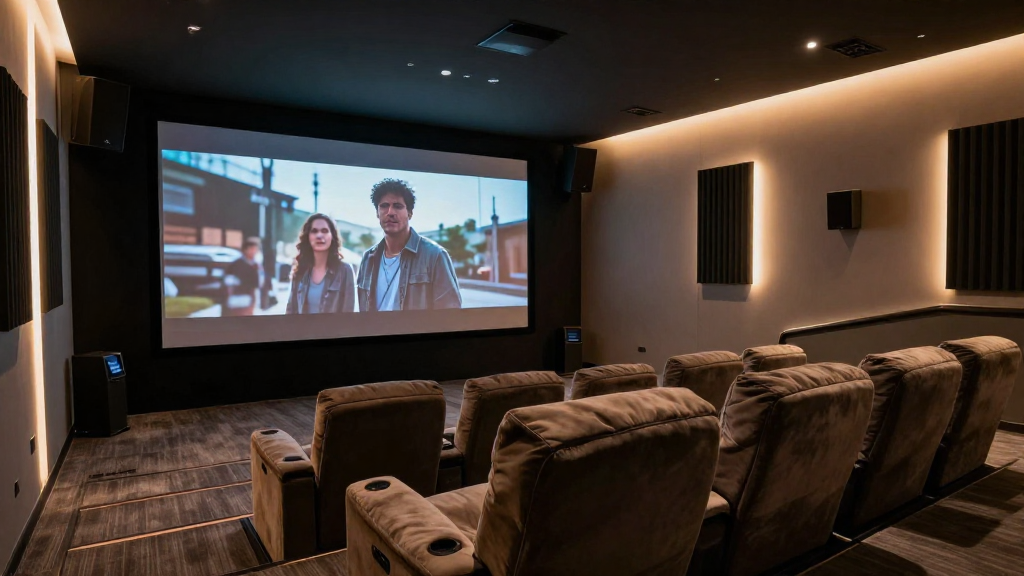
In this article, we will delve into the concept of home theater automation explained, breaking down its components and functionalities.
What is Home Theater Automation?
Home theater automation refers to the integration of various audio-visual components and systems in a cohesive manner to enhance the overall viewing experience. This technology allows users to control multiple devices from a single interface, simplifying the operation of home entertainment systems. By automating lighting, sound, and visual elements, home theater automation transforms a regular movie night into a cinematic experience.
Key Components of Home Theater Automation
Understanding the essential components of home theater automation is crucial for grasping how it all works together. Here are the primary elements involved:
- Control Systems: These are the brains of the operation, enabling users to manage all devices from one interface.
- Audio/Visual Equipment: This includes TVs, projectors, speakers, and receivers that contribute to the overall experience.
- Home Automation Devices: Smart lights, shades, and thermostats that can be integrated into the system.
Benefits of Home Theater Automation
There are numerous advantages to implementing home theater automation, making it an appealing choice for many homeowners. Some of the benefits include:
- Convenience: Control everything from one remote or app.
- Energy Efficiency: Automating lighting and equipment can save energy.
- Enhanced Experience: Enjoy a more immersive and tailored viewing experience.
How Does Home Theater Automation Work?
Now that we know what home theater automation is, let’s explore how it functions. The operation of a home theater automation system involves several steps and technologies working in harmony.
Integration of Devices
The first step in home theater automation is the integration of various devices through a control system. This includes connecting all audio-visual components and smart home devices to a central hub. Here are some aspects to consider:
- Wired vs. Wireless: Choose between wired installations for reliability or wireless for convenience.
- Protocols: Familiarize yourself with communication protocols like IR, RF, and IP.
- Compatibility: Ensure that all devices can communicate with the chosen control system.
Programming and Customization
Once integration is complete, programming and customization come into play. This allows users to tailor the system to their specific needs and preferences:
- Macros: Create one-touch commands to execute multiple actions simultaneously.
- Scenes: Set up specific lighting and audio settings for different activities like movie watching or gaming.
- Automation Rules: Establish rules that automatically adjust settings based on time of day or occupancy.
What Are the Types of Home Theater Automation Systems?
Home theater automation systems can be categorized into several types, each catering to different preferences and budgets. Understanding these types can help you choose the right system for your home.
Standalone Systems
Standalone systems are basic setups that allow you to control individual components without a centralized control system. These systems are often a good starting point for beginners:
- Remote Controls: Use dedicated remotes for TV, audio, and streaming devices.
- Smartphone Apps: Control devices via manufacturer-specific applications.
- Voice Control: Utilize virtual assistants like Amazon Alexa or Google Assistant.
Integrated Systems
Integrated systems offer a more comprehensive solution, allowing for seamless control of multiple devices through a single interface. Key features include:
- Centralized Control: Access all devices from a touchscreen or smartphone app.
- Custom Programming: Tailor the system to your lifestyle and preferences.
- Advanced Features: Incorporate automation rules and complex scenes.
Professional Installation vs. DIY
Depending on your technical skills and budget, you may opt for professional installation or a DIY approach. Both options have their pros and cons:
- Professional Installation: Offers expertise and troubleshooting support.
- DIY Installation: Can save money, but requires time and technical know-how.
- Hybrid Approach: Consider consulting a professional for complex setups while handling simpler tasks yourself.
What Equipment Do You Need for Home Theater Automation?
To set up a home theater automation system, certain equipment is essential. Here’s a list of necessary components:
Audio/Visual Equipment
High-quality audio and visual equipment are the foundation of a great home theater experience. Consider the following:
- Television or Projector: Choose between a large TV or a projector for a cinematic experience.
- Speakers: Invest in surround sound systems for immersive audio.
- Receiver: A central hub that connects all audio and visual devices.
Control Systems
Control systems are crucial for managing your home theater automation. Options include:
- Universal Remotes: Simplify control of multiple devices.
- Smartphone Apps: Enable remote control from your phone.
- Touchscreen Panels: Provide an intuitive interface for managing your setup.
Home Automation Devices
In addition to audio and visual equipment, integrating home automation devices can enhance your experience significantly:
- Smart Lights: Control lighting levels to create the perfect ambiance.
- Smart Blinds: Adjust window coverings for optimal viewing conditions.
- Thermostats: Automate climate control for comfort during movie nights.
How Can You Optimize Your Home Theater Automation Experience?
To get the most out of your home theater automation, consider these optimization tips:
Regular Updates and Maintenance
Keeping your system updated and well-maintained is vital for performance. Here are some practices to follow:
- Firmware Updates: Regularly check for and install updates for all devices.
- Routine Cleaning: Dust and clean equipment to prevent overheating.
- System Checks: Periodically run diagnostics to identify and resolve issues.
Experiment with Settings
Take the time to experiment with different settings and configurations to find what works best for you:
- Audio Calibration: Adjust speaker levels and distances for optimal sound.
- Picture Settings: Fine-tune brightness, contrast, and color settings for the best visual experience.
- Scene Adjustments: Tailor scenes to match your preferences for different activities.
Seek Professional Advice
If you’re unsure about certain aspects of your system, don’t hesitate to seek professional advice. Experts can provide valuable insights and recommendations tailored to your setup:
- Consultation: Hire professionals for a one-on-one consultation.
- Installation Help: Get assistance for complex installations.
- Support Services: Utilize support services for troubleshooting and maintenance.