
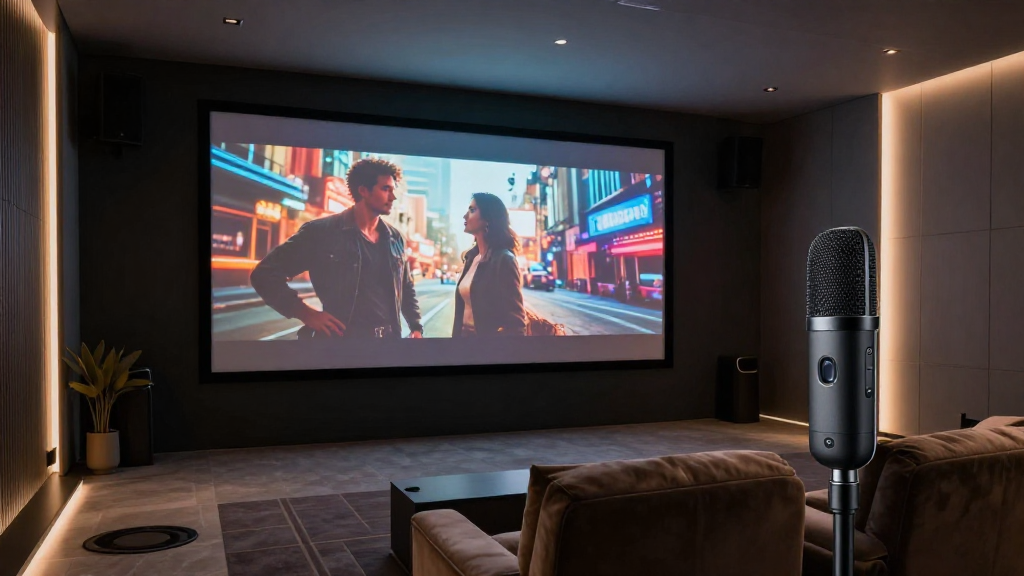
In this article, we will explore how home theater auto calibration works and its benefits for enhancing your audio-visual experience.
What is Home Theater Auto Calibration?
Home theater auto calibration is a feature found in modern home theater systems that automatically adjusts audio settings for optimal sound quality. This technology uses built-in microphones and advanced algorithms to analyze the acoustic environment of your room. By measuring sound levels, delays, and frequencies, it can create a customized audio profile that enhances your viewing experience.
How Does It Work?
The process begins with the system emitting test tones from each speaker. These tones are analyzed by the microphone to determine various characteristics of the room, such as:
- Speaker placement: Identifying the distance and angle of each speaker.
- Room acoustics: Measuring how sound interacts with walls and furniture.
- Volume levels: Balancing the output of each speaker for consistent sound.
After gathering this data, the calibration software adjusts the audio settings accordingly. The result is a balanced sound profile tailored to your specific environment.
Why is It Important?
Automatic calibration is crucial for achieving the best audio experience in your home theater. Some of the key benefits include:
- Improved Sound Quality: Ensures every speaker delivers sound at the correct level.
- Convenience: Saves time and effort compared to manual calibration.
- Consistency: Maintains optimal settings even when room conditions change.
With these advantages, it’s clear why home theater auto calibration is becoming a standard feature in modern systems.
How Do You Set Up Home Theater Auto Calibration?
Setting up home theater auto calibration is a straightforward process, but it requires careful attention to detail. Here are the general steps to follow:
Step 1: Prepare the Room
Before starting the calibration process, ensure the room is as quiet as possible. Close windows and doors to minimize external noise. Rearrange furniture if necessary to provide clear paths for sound.
Step 2: Position the Microphone
Most systems recommend placing a calibration microphone at ear level, in the primary seating position. This will allow the system to gather accurate sound data. Some systems may allow multiple measurement points, so consult your user manual for specific instructions.
Step 3: Run the Calibration
Activate the calibration feature in your home theater receiver or processor. The system will play a series of test tones through each speaker. It’s crucial to remain silent during this process to ensure accurate readings.
Step 4: Review and Fine-Tune Settings
Once the calibration is complete, review the settings. Most systems will provide an overview of adjustments made. You can fine-tune these settings manually if desired, based on your personal audio preferences.
What Are the Common Features of Home Theater Auto Calibration Systems?
Home theater auto calibration systems come equipped with various features that enhance the calibration experience. Understanding these features can help you choose the right system for your needs.
Room Correction Algorithms
Many systems use advanced algorithms to correct for room acoustics. These algorithms analyze sound reflections and frequencies, adjusting the audio output for better clarity and balance. Some popular algorithms include:
- Dirac Live: Renowned for its high-quality room correction capabilities.
- Audyssey MultEQ: Offers a comprehensive approach to speaker calibration.
- YPAO: Yamaha’s proprietary calibration technology.
Multi-Room Capability
Some home theater systems allow for multiple zones or rooms to be calibrated separately. This feature is beneficial for larger homes with various audio environments, ensuring each area receives optimal sound quality.
Dynamic Calibration
Dynamic calibration adjusts audio settings based on real-time factors, such as changes in room acoustics or speaker placement. This ensures that your home theater continues to deliver excellent sound quality over time.
How Does Home Theater Auto Calibration Compare to Manual Calibration?
While home theater auto calibration is convenient, many audiophiles still prefer manual calibration for its precision. Here’s a comparison of both methods:
Accuracy
Manual calibration often allows for more precise adjustments since it takes into account the user’s preferences. However, auto calibration has improved significantly and can yield satisfactory results for most users.
Time Investment
Manual calibration can be time-consuming, requiring trial and error to achieve optimal settings. In contrast, home theater auto calibration can be completed in a matter of minutes, making it a more appealing option for many users.
User Experience
For those who are not audio experts, automatic calibration provides a user-friendly solution. It simplifies the setup process and ensures a good listening experience without requiring technical knowledge.
What Are Some Tips for Getting the Most Out of Home Theater Auto Calibration?
To maximize the benefits of home theater auto calibration, follow these practical tips:
Keep Your Room Setup Consistent
Once your system is calibrated, try to keep the room layout the same. Frequent rearrangements can alter sound quality and may require recalibration.
Regularly Update Software
Many home theater systems receive updates that improve calibration algorithms. Regularly check for firmware updates to ensure you’re benefiting from the latest advancements.
Consider Professional Calibration
If you’re serious about your audio experience, consider hiring a professional to perform a manual calibration. They can provide insights and adjustments that auto calibration may not capture.
Conclusion: Is Home Theater Auto Calibration Right for You?
Home theater auto calibration is a valuable feature for enhancing audio quality in your home theater setup. It offers convenience, improved sound quality, and a tailored listening experience. While some enthusiasts may prefer manual calibration, the advancements in auto calibration technology make it a compelling choice for most users. By following the tips outlined above, you can ensure that your home theater delivers the best possible audio experience.