
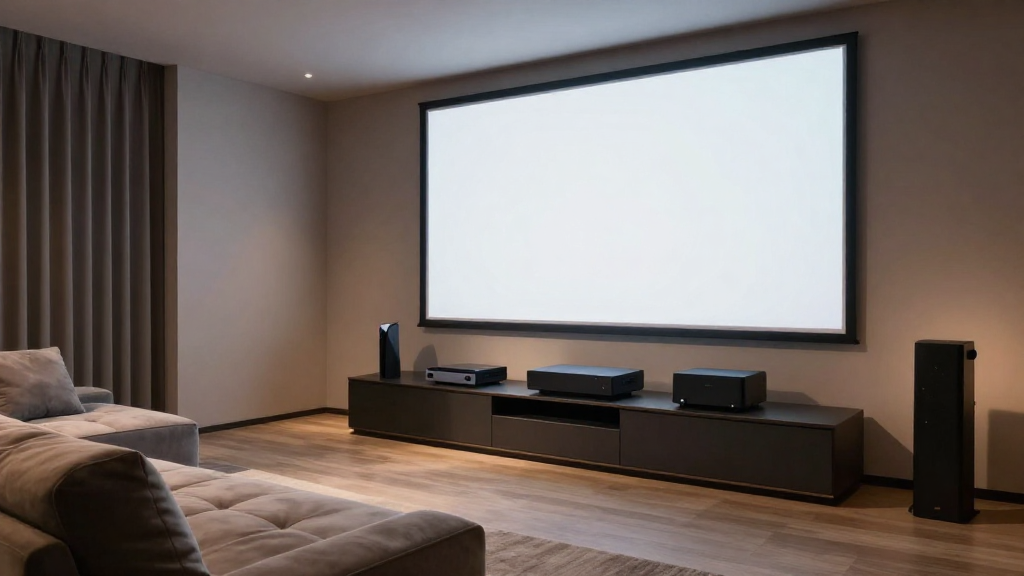
This article provides a detailed guide on how to set up consoles in a home theater to enhance your entertainment experience.
What Is a Home Theater Console Setup?
A home theater console setup refers to the arrangement and organization of various electronic devices designed to create a cinematic experience in your home. This setup typically includes a TV or projector, sound system, gaming consoles, and streaming devices. Proper organization not only enhances the aesthetic appeal of your space but also optimizes user experience.
Essential Components of a Home Theater Console
- Television or Projector: The centerpiece of your home theater, crucial for visual output.
- Audio System: Surround sound systems or soundbars that enhance audio quality.
- Gaming Consoles: Devices like PlayStation, Xbox, or Nintendo Switch that offer interactive entertainment.
- Streaming Devices: Roku, Apple TV, or Chromecast that provide access to online content.
Why Is Organization Important?
Having a well-organized home theater console setup allows for easier access to devices and reduces clutter. It also helps in managing cables efficiently, preventing tangles and potential hazards. An organized space enhances your overall viewing experience by maintaining focus on entertainment rather than the setup itself.
How Do You Connect Your Consoles?
Connecting your consoles correctly is a critical step in your home theater console setup. The right connections will ensure that you get the best audio and visual quality from your devices. Here’s how to do it effectively.
Understanding HDMI Connections
HDMI (High-Definition Multimedia Interface) is the most common way to connect consoles to your home theater display. It carries both video and audio signals, simplifying connectivity. Make sure to use high-speed HDMI cables for the best performance.
Using AV Receivers
AV receivers play a vital role in a home theater console setup by acting as a hub for all your devices. You can connect multiple consoles to the receiver and then link it to your display. This allows you to switch between devices effortlessly without needing to rearrange connections.
Wireless Connections
Some modern consoles offer wireless connectivity options, allowing you to connect without the clutter of cables. Ensure that your home network is robust, as a weak signal can lead to lag during gameplay. This method is particularly useful for streaming devices.
What About Cable Management?
Effective cable management is essential in maintaining a tidy and functional home theater console setup. Poor cable management can lead to a chaotic environment and may even affect the performance of your devices.
Using Cable Ties and Clips
Cable ties and clips can keep your cables organized and out of sight. Consider using color-coded ties to differentiate between various devices. This will make it easier to troubleshoot issues or make changes in the future.
Installing Cable Raceways
Cable raceways are a great solution for hiding cables along walls or baseboards. They blend seamlessly with your home decor and provide a clean look. Choose a raceway that matches your wall color for a more aesthetic appeal.
Labeling Your Cables
Labeling each cable can save you time and frustration when identifying which cable connects to which device. Use simple labels that describe each cable’s function. This step is particularly helpful if you have multiple consoles and devices.
How Do You Optimize Your Home Theater Console Setup?
Optimization of your home theater console setup is essential for achieving the best performance from your devices. This includes adjusting settings and ensuring everything is working in harmony.
Calibrating Your Audio Settings
Take time to calibrate your audio settings for the best sound experience. Many receivers come with auto-calibration features that adjust settings based on your room’s acoustics. Fine-tuning these settings manually can also yield significant improvements.
Adjusting Video Settings
Ensure your display settings are optimized for the best picture quality. This includes adjusting brightness, contrast, and color settings. Many consoles also have graphic settings that can be customized based on your preferences.
Regular Software Updates
Keep all your devices updated to ensure they run efficiently. Updates often include performance enhancements and new features that can enhance your gaming or viewing experience. Regularly check for updates on your consoles and streaming devices.
What Are Common Challenges in Home Theater Console Setup?
While setting up your home theater console may seem straightforward, several common challenges can arise. Understanding these can help you avoid potential pitfalls.
Compatibility Issues
Not all devices are compatible with each other, which can lead to frustration during setup. Always check compatibility before purchasing new devices for your home theater. Research and read user reviews to find devices that integrate well.
Space Limitations
Many people struggle with limited space for their home theater console setup. If you’re dealing with a small area, consider wall-mounted shelves or compact furniture that can accommodate your devices without overcrowding. Creative layouts can also maximize your space.
Overheating Devices
Overheating can be a significant issue in a home theater console setup. Ensure that your devices are well-ventilated and not crammed together. Consider purchasing cooling pads for consoles or installing fans in your setup if necessary.
How Can You Enhance Your Home Theater Experience?
Enhancing your home theater experience goes beyond just the setup. Consider additional elements that can elevate your entertainment time.
Investing in Quality Seating
Comfortable seating can significantly impact your home theater experience. Opt for recliners or theater-style seating that supports long viewing sessions. Position your seating for optimal viewing angles to enhance the overall experience.
Lighting for Atmosphere
Proper lighting can set the mood for your home theater. Use dimmable lights or smart bulbs that can adjust brightness according to your needs. Consider installing blackout curtains to reduce glare and improve picture quality.
Personalizing Your Setup
Lastly, personalize your home theater console setup to reflect your tastes. Whether it’s selecting themed decor, displaying memorabilia, or incorporating smart home features, make your space uniquely yours. This personal touch can make your home theater feel more inviting and enjoyable.