
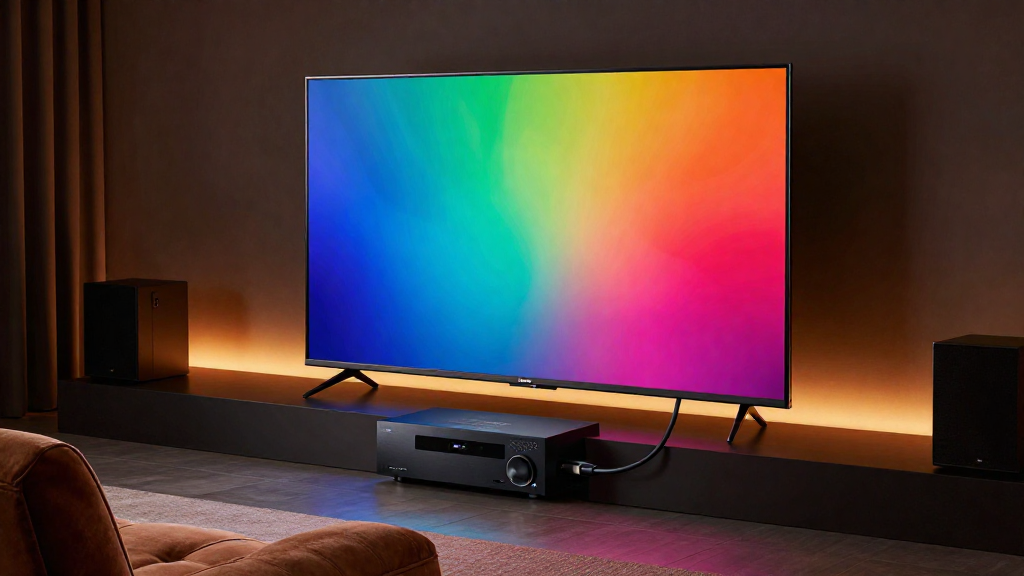
This article will explain how HDMI works in home theater systems, detailing its features, benefits, and technical aspects.
What is HDMI?
HDMI, or High-Definition Multimedia Interface, is a digital interface used to transmit audio and video data between devices. It simplifies connections and enhances the quality of sound and picture in home theater systems. Understanding the fundamentals of HDMI is essential for optimizing your home entertainment experience.
Key Features of HDMI
- Transmits both audio and video signals through a single cable.
- Supports high-definition resolutions up to 4K and beyond.
- Includes features like CEC (Consumer Electronics Control) for device interoperability.
Types of HDMI Connectors
HDMI connectors come in various types, suited for different devices:
- Standard HDMI: Used in most TVs and home theater equipment.
- Mini HDMI: Commonly found in portable devices like cameras and tablets.
- Micro HDMI: Often used for smartphones and smaller devices.
How Does HDMI Work in Home Theater?
HDMI works by transmitting uncompressed digital signals between devices, ensuring high-quality audio and video output. This digital format eliminates the need for analog conversions, reducing signal degradation. In a home theater setup, HDMI connects your source devices like Blu-ray players, gaming consoles, and streaming devices to the display and audio systems.
Signal Transmission
The signal transmitted through HDMI is digital, meaning it is less prone to interference compared to analog signals. This direct approach ensures that the quality of the output remains intact. As a result, users enjoy clearer images and superior sound quality.
Audio Formats Supported
- DTS-HD Master Audio
- Dolby TrueHD
- PCM (Pulse Code Modulation)
These audio formats enhance the overall experience, providing theater-like sound within the comfort of your home.
Video Formats Supported
HDMI supports various video formats, including:
- Standard 1080p HD
- 4K Ultra HD
- 3D video formats
This versatility allows users to enjoy high-definition content across multiple devices seamlessly.
What Are the Benefits of Using HDMI?
Utilizing HDMI in your home theater system presents numerous advantages that enhance the overall viewing experience. Understanding these benefits can help you make informed decisions about your home entertainment setup.
Simplified Connections
One of the main benefits of HDMI is the ability to transmit both audio and video through a single cable. This reduces clutter and simplifies the setup process. Fewer cables mean less chance for tangling and confusion.
High-Quality Output
HDMI provides superior quality in both audio and video, ensuring that you experience your media in the best possible format. The ability to support higher resolutions and advanced audio formats allows for a richer entertainment experience. This quality is particularly noticeable with high-definition content.
Future-Proofing Your System
Investing in HDMI technology helps future-proof your home theater system. As new formats and technologies emerge, HDMI updates (like HDMI 2.1) ensure compatibility with cutting-edge devices. This means you won’t need to replace your entire system as technology evolves.
What Are Common HDMI Issues?
While HDMI offers many advantages, users may encounter common issues that can affect performance. Identifying and understanding these issues can help you troubleshoot problems effectively.
Signal Quality Problems
Signal degradation can occur due to long cable lengths or poor-quality cables. It’s essential to use high-quality HDMI cables that are rated for your specific needs. Avoiding excessive bends or kinks in the cable can also help maintain signal integrity.
Device Compatibility
Sometimes, older devices may not support the latest HDMI standards, leading to compatibility issues. Ensuring that all devices in your setup are HDMI-compatible can prevent these problems. It’s also advisable to check for firmware updates for each device.
Audio and Video Sync Issues
Audio and video sync issues can occur when there is a lag between the two signals. This can often be resolved by adjusting the settings in your device’s audio/video settings menu. Many modern TVs and receivers have built-in features to correct sync issues.
How to Choose the Right HDMI Cable?
Choosing the right HDMI cable is crucial for ensuring optimal performance in your home theater system. With various options available, understanding your needs can help you make the best choice.
Consider Your Equipment
Before purchasing an HDMI cable, consider the devices you plan to connect. Check the HDMI version supported by each device to ensure compatibility. For example, if you have a 4K TV, opt for a cable that supports HDMI 2.0 or higher.
Cable Length
Consider the distance between your devices when choosing an HDMI cable. Generally, shorter cables provide better signal quality. If you need a longer cable, look for active HDMI cables designed to maintain signal strength over distances.
Quality Matters
Investing in a high-quality HDMI cable can significantly affect performance. Look for cables that are well-reviewed and certified for the desired specifications. Avoid overly cheap options, as they may not deliver the quality needed for high-definition content.
Conclusion
In summary, understanding how HDMI works in home theater systems is vital for creating a superior entertainment experience. From simplifying connections to delivering high-quality audio and video, HDMI technology enhances the way we enjoy media. By being aware of potential issues and making informed choices about cables and devices, you can optimize your home theater setup for years to come.