
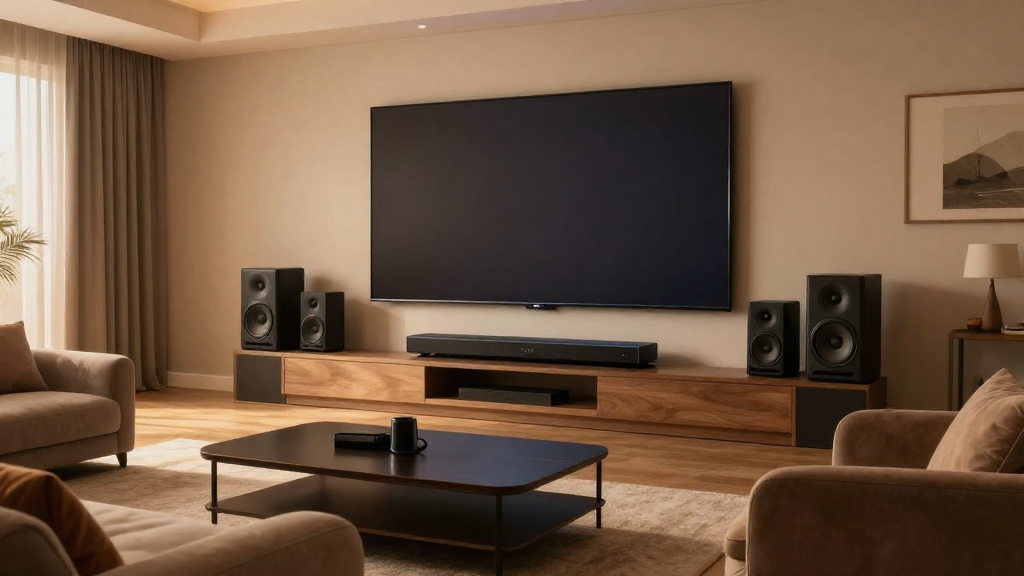
In this article, we will explore how to create an optimal home theater sound setup for an immersive audio experience.
What Equipment Do You Need for a Home Theater Sound Setup?
Setting up a home theater sound system requires specific equipment to ensure high-quality audio. The right components can make a significant difference in your overall experience.
Essential Components
- AV Receiver: This is the hub of your sound system, allowing you to connect various audio and video sources.
- Speakers: You will need a combination of surround sound speakers, including a center channel, subwoofer, and satellite speakers.
- Source Devices: Devices like Blu-ray players, streaming boxes, and gaming consoles are crucial for providing audio sources.
Optional Accessories
- Speaker Stands: These help to position your speakers at the optimal height for sound distribution.
- Cables and Connectors: Quality cables ensure a good connection between your devices and speakers.
- Acoustic Panels: These can help improve sound quality by reducing echo and improving clarity.
How Do You Position Your Speakers?
The placement of your speakers is crucial for achieving a balanced sound in your home theater. Proper positioning enhances the audio experience significantly.
Standard Configuration
The typical surround sound setup includes a 5.1 or 7.1 configuration. In a 5.1 setup, you have five speakers and one subwoofer. For a 7.1 setup, you simply add two additional surround speakers.
Speaker Placement Tips
- Front Speakers: Place them at ear level, about 22-30 degrees apart.
- Center Channel: Position it directly above or below your screen for clear dialogue.
- Subwoofer: This can be placed anywhere in the room, but corner placement often yields better bass response.
Listening Position
Your seating position also plays an important role. Ideally, you should sit at an equal distance from the front speakers and surround speakers. This creates an immersive sound field.
What Are the Best Settings for Your Home Theater Sound Setup?
After positioning your speakers, adjusting settings on your AV receiver is essential for optimal sound quality. Fine-tuning these settings can vastly improve your audio experience.
Calibration
Most modern AV receivers come with an automatic calibration feature. This feature uses a microphone to analyze your room’s acoustics and adjust speaker levels accordingly.
Speaker Levels
- Increase or Decrease Levels: Adjust the levels of each speaker to create a balanced sound.
- Distance Settings: Set the distance for each speaker from the listening position to enhance timing.
- Crossover Frequency: Adjust the crossover frequency for the subwoofer to ensure a smooth transition between speakers.
Audio Formats
Make sure your receiver supports the latest audio formats like Dolby Atmos or DTS:X. These formats provide a more immersive sound experience by adding height channels.
How Do You Connect Your Devices?
Connecting your devices correctly is fundamental to achieving a successful home theater sound setup. The right connections ensure that audio signals are transmitted effectively.
Wired Connections
- HDMI: Use HDMI cables to connect your source devices to your AV receiver for high-quality audio and video.
- Speaker Wire: Use high-quality speaker wire to connect your speakers to the AV receiver.
- Optical Cables: These can be used for connecting older devices that lack HDMI outputs.
Wireless Options
If you prefer a cleaner setup, consider using wireless speakers. Many modern systems offer Bluetooth or Wi-Fi connectivity, allowing you to connect without cables.
What Are Common Issues in Home Theater Sound Setup?
Even with the best equipment and setup, you may encounter some common issues. Knowing how to troubleshoot these problems can enhance your experience.
Audio Sync Issues
Sometimes, you may notice that audio does not sync with video. This can typically be resolved by adjusting the audio delay settings in your AV receiver.
Distorted Sound
- Check Connections: Ensure all cables are secure and not damaged.
- Speaker Levels: Lower the levels of specific speakers that may be contributing to distortion.
- Room Acoustics: Consider adding acoustic panels to minimize echoes.
Inconsistent Volume Levels
If you notice inconsistent volume levels across different channels, carefully recalibrate your speaker levels through the AV receiver’s setup menu.
How Do You Maintain Your Home Theater Sound Setup?
Cable Management
- Organize Cables: Use cable ties or clips to keep your cables tidy and free from damage.
- Check for Wear: Regularly inspect cables for signs of wear to prevent malfunction.
Regular Updates
Keep your AV receiver’s firmware updated to ensure compatibility with new audio formats and features. This will help you maintain the best sound quality possible.
Speaker Care
- Dust Regularly: Dust can affect sound quality. Wipe your speakers and AV receiver with a soft cloth.
- Check Connections: Periodically check all connections to ensure they remain secure.