
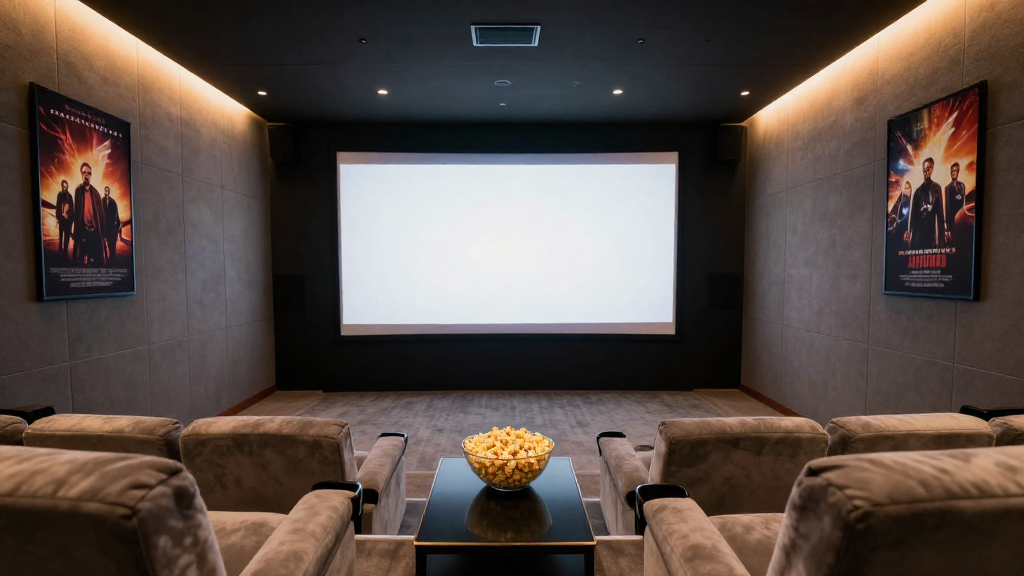
In this article, we will explore how to plan a home theater room effectively, ensuring you create a space that meets your entertainment needs.
What are the Key Elements of a Home Theater Room?
Before diving into the planning process, it’s crucial to understand the key elements that contribute to a successful home theater experience.
Space and Layout
The **space** you choose for your home theater room is fundamental. Ideally, you want a larger space that can accommodate seating, a screen, and speakers without feeling cramped.
Consider the room’s layout; a rectangular space often works better than a square one. This helps with sound distribution and viewing angles.
**Furniture arrangement** is also vital. Ensure that all seats have a clear view of the screen and that there are no obstructions for sound or visuals.
Audio and Visual Systems
Investing in quality **audio and visual systems** is essential for a great experience. Look for high-definition projectors or large-screen TVs, and surround sound systems to enhance your viewing experience.
Ensure compatibility between your devices. HDMI connections are standard, but you might also consider smart home features for seamless integration.
Lastly, **acoustic panels** can improve sound quality by minimizing echoes and enhancing clarity, creating a professional-grade audio environment.
Lighting Considerations
**Lighting** plays a significant role in the ambiance of your home theater room. You should have options for dimmable lights to control brightness during movie screenings.
Consider using **blackout curtains** to eliminate light interference from outside sources. This will improve your viewing experience significantly.
Installing LED lights behind the screen or in the seating area can add a dramatic effect without being too distracting.
How to Choose the Right Equipment for Your Home Theater?
Choosing the right equipment is crucial for ensuring your home theater room meets your expectations.
Screen and Projector Selection
The choice between a **screen and projector** or a large television can significantly impact your experience. Projectors offer a cinematic feel, while large TVs provide simplicity and ease of use.
When selecting a projector, consider the **brightness** (measured in lumens) and resolution (at least 1080p for a quality experience). A higher resolution will deliver a clearer picture, especially on larger screens.
For screens, you should look for materials that enhance picture quality, such as *matte white or high-gain screens*, which can improve brightness and contrast.
Audio Equipment Choices
Your audio setup can make or break your home theater experience. Invest in a **quality receiver** that can handle multiple inputs and outputs. Look for features like Dolby Atmos for an immersive sound experience.
Consider **speakers** that fit your room size. Floor-standing speakers provide powerful sound, while bookshelf speakers can be used for surround sound setups.
Don’t forget about **subwoofers**; they add depth to the audio, enhancing the overall experience, especially during action scenes.
Seating Options
Comfortable seating is essential for a home theater room. Think about investing in **theater-style seating** with recliners or sofas that can accommodate multiple viewers.
Ensure that your seating is arranged in tiers if possible. This helps everyone enjoy an unobstructed view of the screen.
Adding **cup holders** and small tables can enhance the convenience of your seating arrangement, allowing for a more enjoyable viewing experience.
What are the Best Practices for Home Theater Room Design?
Designing your home theater room requires attention to detail and careful planning.
Color Schemes and Décor
Choosing the right **color scheme** can greatly enhance the viewing experience. Dark colors, like deep blues or blacks, are preferable as they reduce light reflection and enhance focus on the screen.
Consider adding **themed décor** that reflects your favorite movies or genres, which can make your home theater feel unique and personal.
Incorporate **soft furnishings** to help with acoustics and comfort, such as plush rugs and cushions that enhance the overall atmosphere.
Temperature Control
Maintaining a comfortable **temperature** is crucial for long viewing sessions. Consider installing a dedicated HVAC system or a portable air conditioner to keep the room cool.
**Insulation** can also play a role in maintaining temperature and soundproofing your home theater. This is especially important if your theater is located in an area that is prone to outside noise.
Using **fans** or other cooling devices can help circulate air and ensure comfort without distracting from the movie experience.
Connectivity and Smart Features
Modern **home theater rooms** benefit from smart technology. Consider integrating smart home systems that allow you to control lights, audio, and visual settings from your mobile device.
Ensure you have sufficient **power outlets** and cabling for all your equipment. A cable management system can help keep everything organized and avoid clutter.
Finally, think about **wireless technology** for speakers and streaming devices to minimize visible wires and enhance the sleek design of your home theater room.
How to Maintain Your Home Theater Room?
Regular Cleaning
Keeping your home theater clean is key. Dust can accumulate on screens and speakers, affecting performance. Use microfiber cloths for screens and vacuum regularly to keep the area tidy.
**Cleaning equipment** should be appropriate for the materials used in your home theater. For example, avoid harsh chemicals on screens; instead, use solutions designed specifically for electronics.
**Organizing cables** and equipment can also prevent dust buildup and make it easier to access your devices when necessary.
Upgrading Equipment
As technology advances, consider upgrading your equipment periodically to keep your home theater room current. This includes upgrading to higher-resolution screens or more advanced audio systems.
Stay informed about the latest trends in home theater technology to ensure you make informed decisions about upgrades.
**Evaluate performance** regularly to determine if specific components need attention or replacement to maintain optimal performance.
Checking Connections and Settings
Regularly check all connections to ensure everything is functioning properly. Loose cables can lead to poor performance and frustration during viewing.
Adjust **settings** periodically, especially after upgrading any components. This can include recalibrating your audio and visual settings to match new equipment.
Finally, maintain a **backup plan** for troubleshooting issues. Knowing how to reset devices or where to find help can save time and enhance your overall experience.