
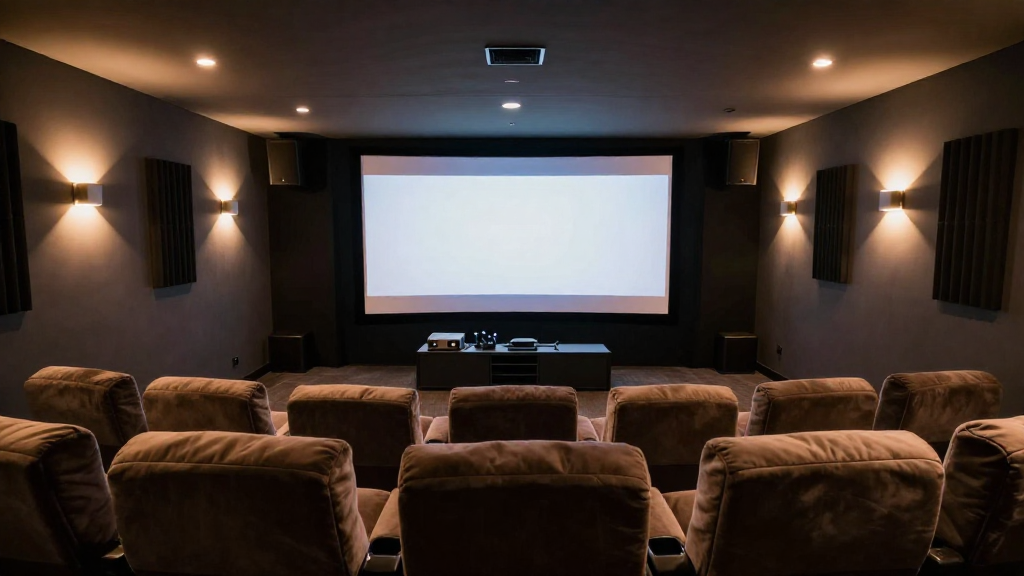
In this article, we will explore how to build a home theater, guiding you through each step to create an immersive cinematic experience in your home.
What are the essential components of a home theater?
Before diving into the specifics of how to build a home theater, it’s crucial to understand the essential components that will make your setup complete. A home theater typically consists of:
- Display Screen: This can be a projector and screen or a large flat-screen TV.
- Audio System: Surround sound speakers, a receiver, and subwoofers for immersive audio.
- Seating: Comfortable seating arrangements to enjoy the movies.
Choosing the Right Display Screen
Your display screen is one of the most critical elements when learning how to build a home theater. The choice between a projector or a flat-screen TV depends on your room size and personal preference. Consider factors like space, budget, and viewing distance.
Audio System Options
The audio system is equally important in enhancing your viewing experience. You can opt for a soundbar for simplicity or a full surround sound setup for a more immersive experience. Ensure the system is compatible with your display for the best results.
Comfortable Seating Arrangements
Seating can greatly affect your enjoyment. Look for recliners or theater seats that provide comfort and support. Arrange your seating to provide an unobstructed view of the screen, ensuring everyone can enjoy the show.
How to choose the right room for your home theater?
The room you select for your home theater can significantly impact the overall experience. Here are some tips on choosing the ideal space:
- Size: A larger room allows for a bigger screen and more seating.
- Lighting: Choose a room that can be darkened to enhance the viewing experience.
- Acoustics: Rooms with carpets and curtains can help improve sound quality.
Assessing Room Dimensions
Before setting up, measure the room dimensions to ensure that your equipment fits well. A room that is too small may limit your screen size and seating arrangements.
Controlling Lighting
Consider how much natural light enters the room. Blackout curtains or shades can help control light levels, making it easier to enjoy movies during the day without distractions.
Improving Room Acoustics
The acoustics of your chosen space can affect sound quality. Add rugs, wall panels, or acoustic foam to minimize echoes and optimize audio performance.
What equipment do you need for your home theater?
Now that you have a suitable room, it’s time to gather equipment for your home theater. Below are the key items you should consider:
- Video Source: A Blu-ray player, streaming device, or gaming console.
- Receiver: A good receiver is crucial for managing audio and video signals.
- Speakers: A combination of speakers (front, rear, and subwoofer) is essential for surround sound.
Choosing Your Video Source
Decide on the primary source of your entertainment. A Blu-ray player offers high-quality visuals, while a streaming device provides access to a vast library of content. Ensure compatibility with your display for optimal performance.
Selecting a Quality Receiver
Your receiver acts as the hub of your home theater system. Choose one that supports the latest audio formats and has enough HDMI inputs for your devices. A good receiver will enhance audio quality and simplify device management.
Investing in Quality Speakers
Investing in high-quality speakers will significantly enhance your home theater experience. A typical 5.1 or 7.1 surround sound setup includes front speakers, rear speakers, and a subwoofer for deep bass. Ensure they are appropriately positioned for the best sound experience.
How to set up your home theater?
With the equipment gathered, it’s time to set up your home theater. Follow these crucial steps:
- Position the Display: Mount your TV or projector at eye level for optimal viewing.
- Arrange the Speakers: Position speakers based on your room layout to create a surround sound effect.
- Connect All Devices: Use HDMI cables to connect your devices to the receiver and display.
Mounting the Display Screen
If using a projector, ensure it is mounted properly for the best image quality. A flat-screen TV should also be mounted securely, ideally at eye level to prevent neck strain during long viewing sessions.
Speaker Placement Tips
The placement of your speakers is crucial for creating an immersive sound experience. Front speakers should be placed on either side of the screen, while rear speakers should be positioned behind the seating area. The subwoofer can be placed in the front or corner of the room for the best bass response.
Connecting Devices Effectively
Ensure all your devices are connected correctly for seamless operation. Use high-quality HDMI cables and keep cables organized to avoid clutter. Test each connection before finalizing your setup to ensure everything works properly.
How to fine-tune your home theater system?
After setting up your home theater, fine-tuning the system can enhance your viewing and listening experience significantly. Here are ways to optimize performance:
- Calibrate Your Display: Adjust brightness, contrast, and color settings for optimal picture quality.
- Test and Adjust Audio Levels: Use an audio test disc to balance speaker levels and ensure best sound quality.
- Consider Acoustic Treatment: Rearranging furniture or adding acoustic panels can significantly enhance sound.
Calibrating Your Display Settings
Calibration is vital for achieving the best picture quality. Use built-in settings on your display or professional calibration tools to adjust brightness, contrast, and color accuracy.
Balancing Audio Levels
Testing audio levels helps to ensure that all speakers are balanced, providing a cohesive sound experience. Use audio test tones to adjust volume levels for each speaker, ensuring no audio is overpowering.
Enhancing Room Acoustics
If you notice echoes or sound distortion, consider rearranging furniture or adding acoustic treatments. Strategic placement of rugs, curtains, and sound panels can significantly improve sound quality in your home theater.
What are the finishing touches for your home theater?
Finally, it’s time to add the finishing touches to your home theater, creating an environment that reflects your style and enhances comfort:
- Lighting: Install dimmable lights or LED strips for an inviting ambiance.
- Decor: Personalize the space with movie posters, themed decor, or comfortable throw blankets.
- Smart Home Integration: Consider smart home devices to control lighting and sound with ease.
Installing Effective Lighting Solutions
Lighting can greatly influence the atmosphere of your home theater. Choose dimmable lights or smart lighting solutions that allow you to adjust brightness according to your viewing needs.
Personalizing Your Space
Add personal touches to your home theater with decor that resonates with your favorite films. Movie posters, themed cushions, or even collector’s items can enhance your cinematic experience.
Integrating Smart Home Technology
Smart home technology can streamline your home theater experience. Consider integrating smart speakers or remote controls that manage multiple devices, providing convenience at your fingertips.